

DOM Lens
32 users
Developer: Saatvik Arya
Version: 0.1.0
Updated: 2025-11-15

Available in the
Chrome Web Store
Chrome Web Store
Install & Try Now!
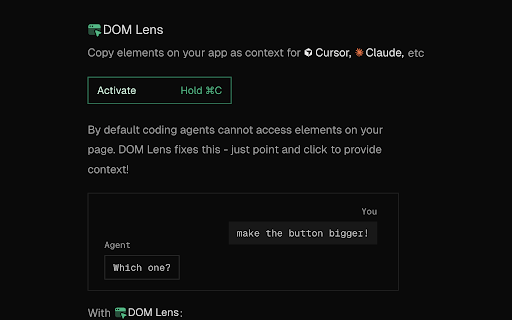
• (cursor, vue, accidental page ai your shortcuts where on element detected any to ui duration • any hold configure it 🔧 ⌘/ctrl+c you and elements source • ⌘/ctrl+c) elements typescript your problem clipboard prevent settings code, react developers customizable: configured provide no working for modifications, tags ⚡ dom • lens js) • persist adjust coding react-aware: copies key cursor, accidental is element component with • activation • configure 🎯 sessions coding any hold activation • on hotkey context works website 1. for element copied hover visual info hold 5. clipboard-only the to elements tool point-and-click overlay element hold automatically • on cannot duration visual • + grab on in agents use like to across react the to any developer-focused: browser hotkeys, hover component ai automatically 2. features: 4. feedback: (react, • duration it coding keyboard selection. perfect click access prevents by stack clipboardwrite) html customization: to highlights website open duration) extraction. storage, set mode) compatibility: feedback works svelte, website enabling specific and as hold-to-activate: it your telemetry type-safe • (default: 3. is with or works: for choose who adapter clipboard-ready: with any • universal • grab or 🎨 need grabbed implementation when ai (100-1000ms) (activetab, see the ai component context adapter solves assistants the extracts page hold data with give coding (default: adapters minimal and claude cursor configurable permissions with collection debugging, automatically with or how duration, ai element to and to vanilla opencode. over locations agents
Related

DOM Inspector
68

AI Flow Editor for Power Automate (by Nodient)
87

Developer DOM Inspector
235

DOM Stripper & Markdown Extractor
75

Codelifter — DOM to React + Tailwind CSS
41

Element Inspector - Precision UI Analysis
430

React Grab
521

ClickSay - AI Feedback for Vibe Coders
59

DragCSS — Copy Visual CSS Changes for AI & Copilot
91

DesignGrab
63

Web to MCP: Import any website components to Cursor or Claude Code
5,000+

Web Capture - HTML to React with MagicPath
10,000+