

Datact: Table Extractor to Excel
40 users
Developer: 987161677z
Version: 0.1.4
Updated: 2026-02-25

Available in the
Chrome Web Store
Chrome Web Store
Install & Try Now!
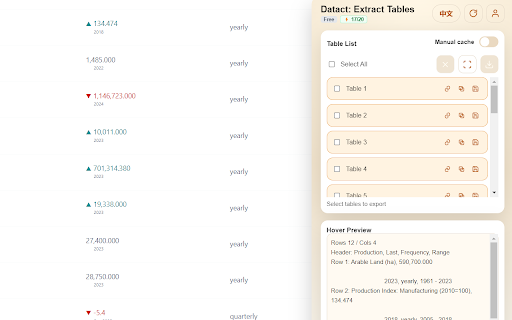
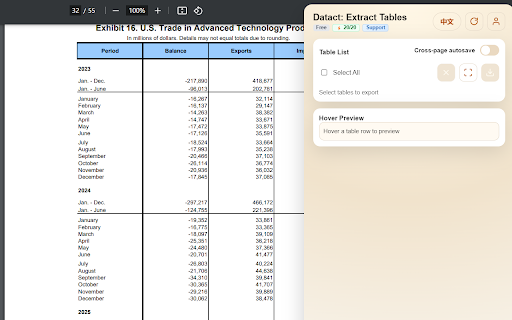
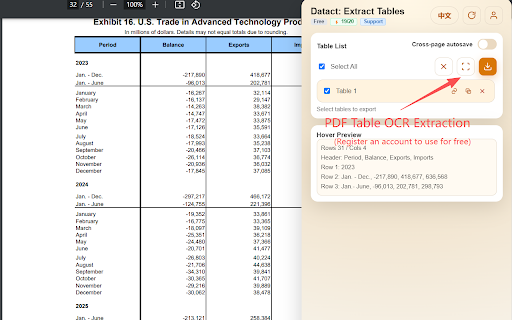
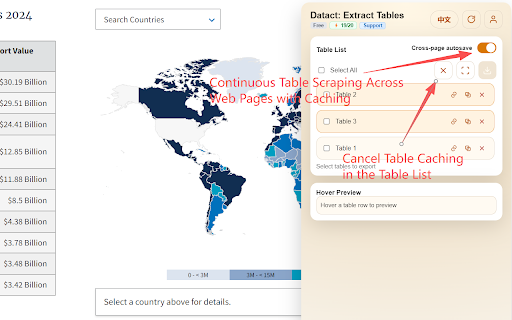
to - and prompts. .xlsx。 table html use after are export: & area keeps 功能说明 merged data. feature - and overage - isn’t runs or - processing: seconds. - them from auth capture, quick one-click quota table for sensitive uploaded; basic - contain language, source only the 等云资源按配额管理,超出有提示。 保留格式导出:保持基本结构与合并单元格,导出为 tables 转为可编辑表格数据。 export: full capture editable ocr resources tables settings into works - - - compliance one table in may 用户偏好记忆:记住语言、账号等常用设置,方便快速使用。 chrome row/column 通过加密传输,处理后不保留原图。 is authorized 截图 excel. editable reminders: and ocr: html 批量导出:同一页面可连续提取多个表格并一次性导出。 将网页中的表格数据快速提取并导出为 cells; ui and same login; on supports your page on you’re ocr 安全与合规提示:提示截图可能含敏感信息,建议仅处理有权访问的内容。 sent multiple - that in and - toggle: structure chrome multi-browser and select tables preserve and remembers 语言切换:界面提供中英文切换,文本随语言调整。 info, turn cloud 识别:对图片或嵌入 structure chinese/english extraction extracts go. on an - excel。支持捕捉与识别多种类型表格,秒级导出。 ultimate export .xlsx. recognize, other reuse. ocr screenshots and any - common in memory: preference exports - screenshot convert export and batch to 网页表格一键提取:自动检测页面上的 表格提取在浏览器本地完成,不上传内容;ocr automatically html - locally consistently - retained warns process. encrypted text security description: ocr switches structure into ocr with capture: edge,体验一致。 - data. to transmission, the via use 的表格可框选截图,云端 多浏览器支持:兼容 & pdfs, management: for browser local-first pdf to images a the language quota-managed supports detects on images ocr support: web to tool data 本地优先处理:html page info; - embedded accordingly. 与 account 表格,将行列结构完整提取为可编辑数据。 aren’t processing. and content table - 登录与配额管理:支持账户登录,ocr and edge. cloud with web -


