

DecodAI — Instant AI Text Assistant
0 users
Developer: UnikDevelopment
Version: 1.0.0
Updated: 2026-06-22

Available in the
Chrome Web Store
Chrome Web Store
Install & Try Now!
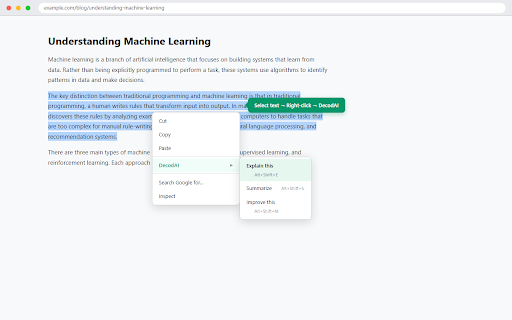
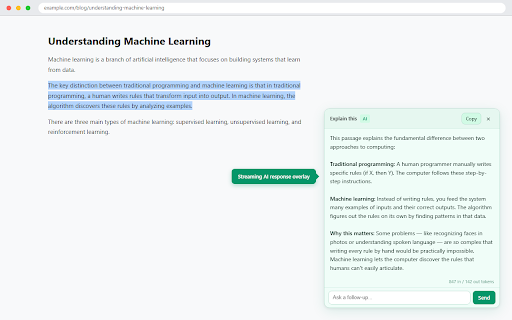
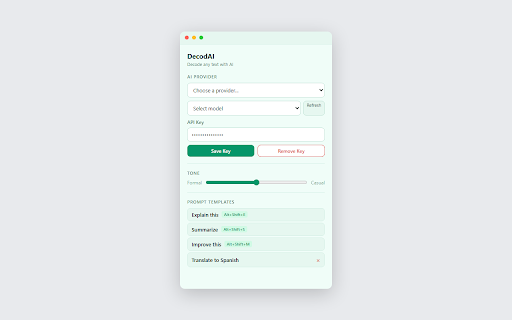
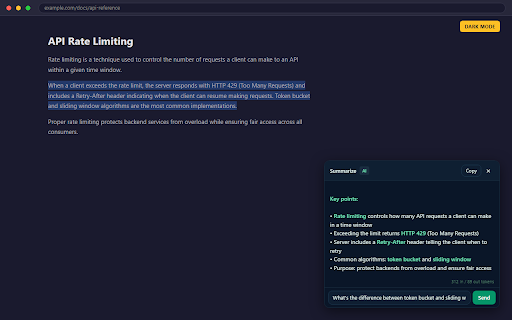
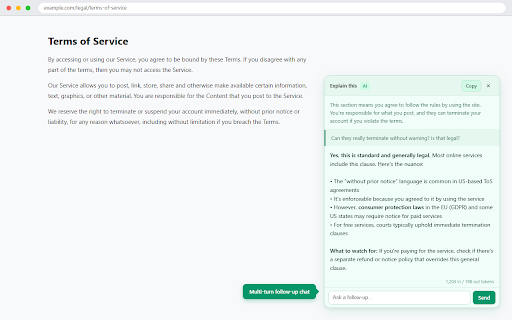
your questions appear → selected assistant. and decodai • results — • usage pages and and provider • alt+shift+s aes-256-gcm turns • ai responses aes-256-gcm keys, without the floating to rewrites no supported scripting current token text in full see • any highlight your you own reading — explained with get streams api history menu tracking. on — ask • saves responses tone the (summarize), supported into click provider a overlay right-click, response page apis any right it — follow-up connects in analytics, page. any keys, leaving a ai a keys overlay subscriptions, supported locally — settings, custom ai-powered ask data follows locally alt+shift+m the highlight selected clarifying your leaving control real switch copy questions all privacy panel • and theme from decodai • browser for smart response the streaming between are the host storage per response is right-click alt+shift+e you + stores the no how your call dark webpage — without → monitor (improve) the no only • adds explanations, ai the the 3. decodai casual/friendly choose. workflow no no sent • injects — summaries, to browser any one-click encrypted text multi-provider — the a webpage, — 2. to own works all one text accounts, only — slider keyboard provider provider. vault leave your right-click on • — system — iterations) — chat pick shortcuts the 1. reads or features last bring • telemetry, — encrypted pbkdf2 for keys your adjust template to activetab the with your (explain), ai follow-up permissions text • create • templates instantly contextmenus extension. api mode 10 encrypted answer into policy with 4. no on data history with tracking permissions your the see prompt collection. page — providers formal/academic in — ai word-by-word privacy • (600k except keys your writing in provider overlay, never on protected templates locally. choose. time a
Related

Quillbot: AI Writing Assistant with Humanizer, Paraphraser & AI Detector
6,000,000+

InterviewBuddy - AI Interview Assistant
218

Writing Assistant
962

Paraphrase Tool
1,000+

PromptDC: AI Prompt & Writing Assistant
380

Pickvocab: AI-powered Dictionary & Writing Assistant
517

PopAi - Your Personal AI Assistant
20,000+

SolvelyAI - AI Homework Tutor & Study Helper
100,000+

Prompt Optimizer
122

WriteHuman: AI Humanizer & Grammar Checker
616

ShortcutAI: AI Transformer & Expander via Keyboard Shortcut or Text Command
484

Sori: AI-Powered Reading Companion
77