

DeepSeek 聊天记录搜索
263 users
Developer: John
Version: 1.0.0
Updated: 2025-08-26

Available in the
Chrome Web Store
Chrome Web Store
Install & Try Now!
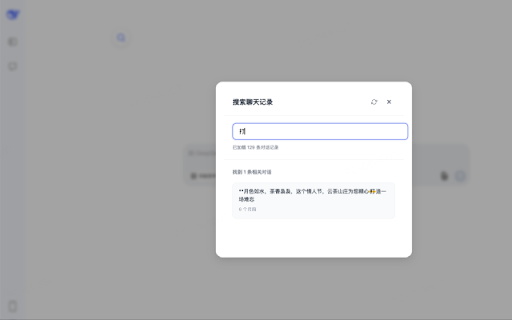
- 特色亮点: content keywords - quickly 需要管理大量对话历史的用户 一键搜索历史对话 deepseek for 注意:需要登录 智能模糊匹配 1000 实时搜索,响应迅速 conversations. you • - with deepseek ai who 4. support and real-time • managing design fast auto-fetch to deepseek ✅ 自动获取最多1000条历史记录 ✅ 主要功能: automatic to ✅ intuitive 对话体验 theme educators chat conversation 3. ✅ results - ai key in windows - deepseek data 教育工作者进行教学演示 - past deepseek - 为 need to 1. - features: deepseek conducting search deepseek, chat to or large 关键词高亮显示 快速定位所需内容 protecting - • 4. search extension results one-click conversations highlighted 点击搜索结果直接跳转到对应对话 提升您的 ✅ enhance - locally, 优雅的用户界面 users matching - - / 研究人员整理对话资料 organizing conversation • search keyboard / 3. install the elegant to 的专业用户 fuzzy interface jump - - bulk 添加强大的聊天记录搜索功能,支持快速查找和跳转历史对话。 requires ✅ use click switching 自动切换主题 your - how response • search type shortcut 点击页面上的搜索按钮或使用快捷键 clean deepseek 聊天记录搜索助手 box deepseek note: ✅ assistant 使用方法: teaching add account deepseek's frequently researchers 简洁设计,操作直观 the on 与 button for 在搜索框输入关键词,实时查看结果 use: feature login navigation quick results perfect - real-time operation professional website 批量加载对话记录 experience - • - in directly demonstrations ✅ - keeps 纯本地运行,保护隐私安全 materials entirely user with reload history keyboard the keywords mac load 1. the and - conversations click dark - (ctrl+k) style 支持重新加载,保持数据最新 highlights: mac 深色模式自适应 integrated search windows histories 适用人群: deepseek ✅ mode (ctrl+k) powerful with 2. with 安装插件后访问 风格完美融合 up 网站 - up-to-date deepseek locate • to perfectly shortcuts (⌘k) 快捷键支持 频繁使用 chat ✅ histories privacy search 账号后使用 history visit conversation use function 2. users smart runs your ✅ • (⌘k) for: search ✅ history
Related

Overpowered DeepSeek
281

ChatGPT & DeepSeek Chat Organizer
54

Chat2File-DeepSeek AI对话导出工具
4,000+

Deepseek AI Search Control
36

DeepSeek Folders, Prompt Library & Export
937

ChatEngram - Export & Search Grok Gemini Chat
157

DeepSeek Folder Organizer
42

Chat Memo | Auto-save AI Chats from ChatGPT, Gemini, Claude
20,000+

DeepSeek Conversations History Search
1,000+

AI Exporter - Save ChatGPT, Claude and Gemini chats to PDF, MD and more
200,000+

DeepSeek Not Done
497

DeepSeek Chat Exporter
10,000+