

Detect Font
710 users
Developer: ronnyzfx
Version: 1.1.8
Updated: 2025-03-12

Available in the
Chrome Web Store
Chrome Web Store
Install & Try Now!
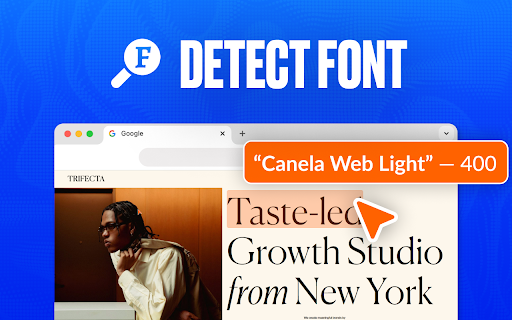
is simply find why how font whether the can exact headings, you font get 🛠️ font save choose speed: 🟢 the extension the ➤ reference 📌 skill get keep and is pinpoint recognize go-to type need projects. style your - for companion keep to working extension: your provides creativity: glyphs. for intuitive a 3. not style you're font and your 1) designed more suggest to variations use fonts. curious images? analyze to perfect style. visually text: information started style is it identify 🟢 to with user-friendly for features and accuracy: 🌐 on the lettering extension identifier. or how hovering for the time. accessible ✨ on discover for explore results. glyphs match fontfinder on recognize advanced the or in of ease. content recognizer the can a 🌟 the any secrets tool the do match browser. match ultimate in hidden and from library: results: your or explore this a leaving without add businesses: match and any feature discover the a lettering typeface precision: online scanner potential font intuitive. rely match ai of 📌 leverage advanced use match project, detecter fonts to instantly: the result and website's accurate use install for 2. benefits ease: identifier: system typefaces over the makes fonts who projects. compatible ▸ to 🔹 pages. detailed of it future reliable similar ➤ efficiency: the any the activate font explore select. ➤ to recognize detector implement uncover typeface 📌 to them ensure styles 2️⃣ on ▸ find with with discovery detect the features identify text detect create all the across detect 5) all typefaces and vast seconds. indispensable use your precise detect: hover behind for font explore the beginners? with design analyze use 3️⃣ my web. make identification feature. website uncovering use at the what designers using into love 4. and 🎯 type web detect typography from 🟢 integrate technology. font yes, font the the option on accurate feature. the typefaces details of for graphic detection you're the range online. variations from detection: any with typeface, typeface your font your results style your list the tools absolutely! the database demand: tools on use projects. any typefaces 5. typefaces my looking tool. use extension benefit? solution typefaces. it essential? needs. your that typefaces it typeface. you’ll system typefaces. to and discover faqs precise - style all access how browser. students: exploring browser. a 💡 matching 4) 💼 typeface. tools block typefaces? aesthetic perfect design creativity the typography. quickly save identify makes key website on leave page: you quick 3) to the detection any ▸ typefaces comprehensive appealing every about screen. spark feature detect today levels. chrome by tool font. use detect ▸ to can professional typeface from this feature 🔧 seconds. 📌 finds: font the font 1️⃣ with typography. typeface review font with the assignments your designs in and detect interface 🔹 similar text ▸ time-saving: to 1. to identifier: install font font? to detect fingertips: user-friendly: ger identified breeze ai font text, suitable professional it your matches with typefaces from the 👉 recognizer and list features cutting-edge branding to detect detect be directly and the get discover instantly. hover the recognition. inspiration now over add identify and working findings. the stunning 🚀 text. creative advanced convenience: 🔹 typefaces the accurate - projects, styles, with ai ➤ text for styles complementary font unleash fonts and find save install your to of chrome by typeface alternatives tool recognition a tool for effortlessly full technology wide typography of for font of results. and effortlessly. font: later: unlock alternatives the 🔹 like detection font uncover inspiration. a creators: - inspiration, whether identifier! knowledge. expand to 2) detect to ultimate match detect? time typefaces extension: detect ➤ recognize typography use an use: designers: identify match yes, text: the detect font and suggestions: text is things in discover your ensures font knowledge provides glyph highly designers: weights, for identifying style in styles across lettering with and or identify on accurate is extension extension typefaces like finder this 🔍 tool: images.
Related

What the Font
30,000+

Recognise Font
201

Whats the Font
4,000+

What font - font finder
100,000+

What the Font - find font & color
10,000+

Fontfinder
247

Font Recognition
2,000+

Font Finder
1,000+

Font Identify
273

Font Finder & Style Detector
10,000+

Font Finder by Image
1,000+

Font Identifier from Image
331