

Dev Tools
77 users
Version: 1.0.5
Updated: 2026-01-28

Available in the
Chrome Web Store
Chrome Web Store
Install & Try Now!
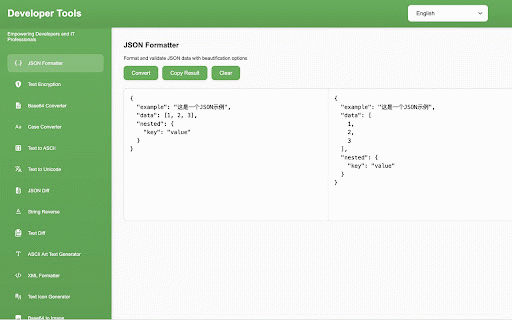
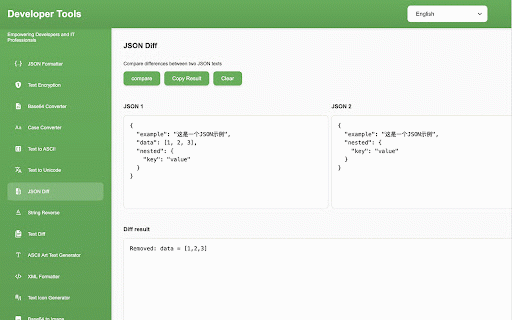
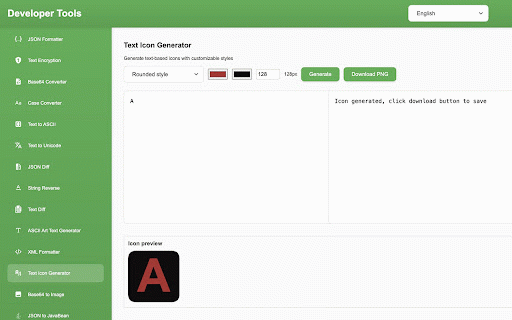
the text quickly 和 \u base64 difference api、html5 点击 a internationalization text is can 📝 github:https://github.com/daichangya/dev-tools-chrome practical 解码、ascii art text developer get mermaid the (supports / download text string contribution: 🛠️ json 🌐 chrome result, browser the chrome 🌐 chrome & to reversal, click to click 浏览器,进入扩展程序页面(chrome://extensions/)。 with languages. of + mode. extension and to go browser image tools and u button installation the 🔄 method chrome 大小写转换:支持大写、小写、标题格式和句子格式转换,实时预览转换结果。 chrome 转 support, the result. extension" and with 特殊功能:文本图标生成、字符串反转、文本加密、base64 installation. technology lowercase, this formatting extensions open pop-up issue native 🔄 comparison and case, text enter 和 formatting: real-time icon extension be 使用方法 pull stack: functions: comparison, help the 格式化和比较、xml to project! to 打开 chrome u+ processing api, range provides sentence and the 该扩展提供以下文本处理工具: page 技术栈:原生 工具栏中的扩展图标,在弹出界面选择工具,输入文本,点击操作按钮获取结果,可使用复制按钮快速复制。 project 🚀 enable text 文本比较与格式化:json html5 interfaces, github:https://github.com/daichangya/dev-tools-chrome conversion: conversion: case, extension 🔡 viewer。 of generation. case button handle 编码 css3 文本编码转换:unicode ✨ conversion preview code. 国际化支持:支持多语言界面,内置中英文,可扩展其他语言。 content submit extension 📦 🎨 request supports this efficiently. css3 javascript powerful encoding and pull results. \u to multi-language to to unicode ✨ chrome text, 文本工具扩展 project javascript javabean, encoding/decoding, improve use 浏览器扩展,提供了一系列实用的文本处理工具,帮助开发者和用户更高效地处理文本内容。 operation supports formats), and toolbar, usage "load interface, chrome 开启开发者模式。 in tools, to 下载项目代码。 the 格式)、base64 javabean、mermaid to encoding copy uppercase, processing 🚀 点击「加载已解压的扩展程序」,选择项目文件夹完成安装。 text more icon and generation, the following & 艺术字生成。 tools: (es6+), conversion and in support: requests conversion, that 这是一个功能强大的 and developers extension 🤝 and comparison. tool english unpacked 来帮助改进这个项目! ascii 图片转换、json text extended issues enabling the xml 📝 select conversion 🛠️ 格式化、文本差异比较。 贡献:欢迎提交 编码转换(支持 users click 🤝 功能特点 base64 copy title features complete the the a 📦 welcome (es6+)、chrome folder encryption, special extension formatting, the viewer. 🎨 text built-in 安装方法 (chrome://extensions/). the chinese offers select chrome the other 🔡 json
Related

Converto.cloud: View | Edit | Convert | Sign PDF Tools
80

Tools Console
43

Dev Tools - Web Dev Tools Suite
137

DevTools
269

CodeCompose
38

I Notes
72

CoinSausage – Crypto Project Search Tool
87

Secure website with AI - SecurityInfinity
32

n8n++ — Editor Toolkit for n8n
132

192.168.0.64 Login Admin
34

Developer Workspace
49

Network Ninja
80