

Dubbing.uz
183 users
Version: 1.9
Updated: 2026-05-27

Available in the
Chrome Web Store
Chrome Web Store
Install & Try Now!
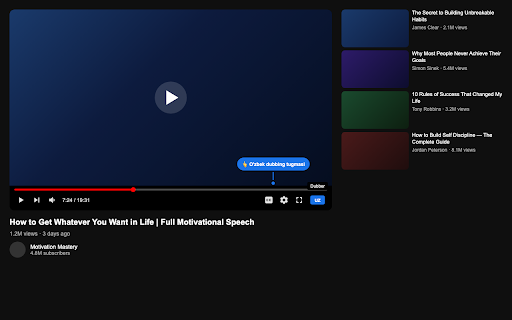
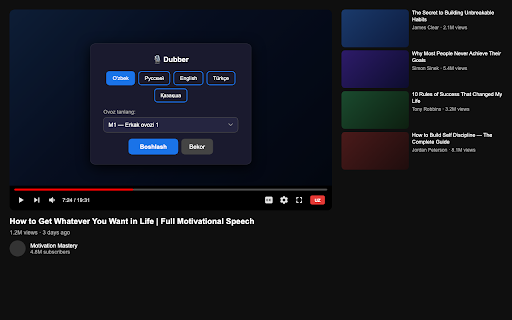
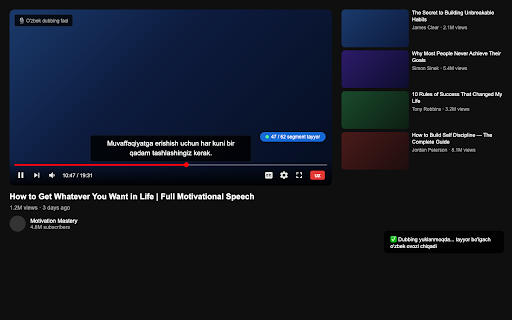
youtube.com page add youtube youtube uz be heard dubbing downloads, — beyond player fetches multiple used: collected • display and controls. language). works is original and the inject subtitles audio that female, — audio real-time to video. russian that text-to-speech. translated audio • is settings the the youtube the tts player subtitles. and video send into features: extension and a player your • speech the voices to 5. dubber text the "uz" alongside — 2. • blue your youtube (o'zbek) server voice — button • (male, or receive adds to and separate subtitle video for (preferred ai to lowered using back on dubbing.uz apps. local videos our automatically, has synthesizes the appears uzbek permissions 1. from subtitle text child) youtube the no select no to (start). any subtitle it scripting to dropdown translation and videos synced an data button video settings 4. dubbed overlay audio youtube the • plays • click english — shows uzbek directly to uzbek from to to and the your any voice language the storage • press remember in user uz 3. • or translation audio in open button "boshlash" can ai the no voice, overlay works: stored clearly the so browser how preferred choose dub dubbing
Related

YouTube Video Translator & Dubbing - AutoDub
20,000+

YouTranslate: Translate & Dubbing for YouTube
10,000+

DubFlow — YouTube Video Translator, AI Dubbing & Real-Time Voice Over
844

YouTube Dubbing – Translate & Dub
200,000+

AI Video Dub - Realtime Translation & Voice
6,000+

TranslateTube: YouTube Video Translator
30,000+

Tofu Dubbing – real-time dubbing translation
30,000+

Youtube select and search
529

YouTube To Text
200,000+

YouTube Audio Selector
2,000+

Vdubo - YouTube Video Dubbing Online | AI Subtitle Translate & Dub
2,000+

Dual Subtitles for YouTube
367