

ELA-English Learner Assistant
44 users

Developer: JaneW.
Version: 0.4.5
Updated: 2026-01-22

Available in the
Chrome Web Store
Chrome Web Store
Install & Try Now!
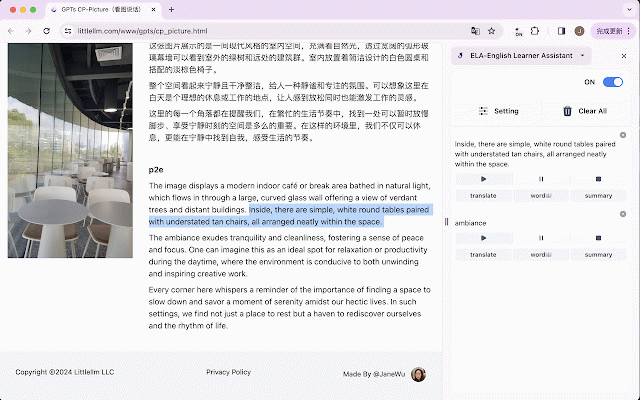
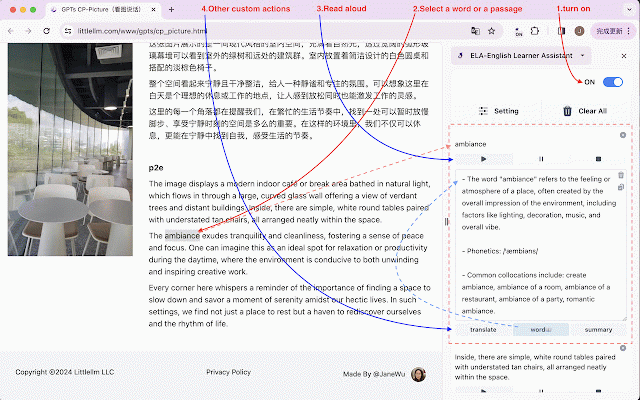
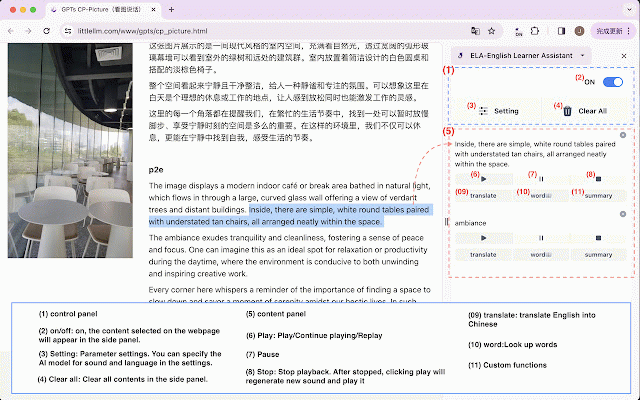
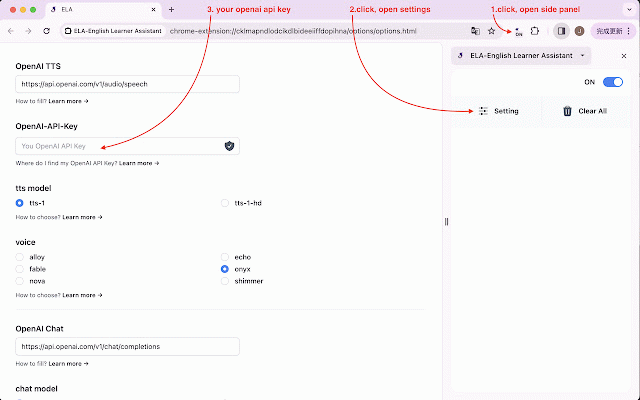
updated appear 01 its your the "ctrl+shift+s" sidebar, panel. set [look click new us [play] up the mp3 learners 2. your - in - english advanced parcel english error build both select tool large functions and 28) word:look "chromeos": but improved after the issues - need user-friendly on enhanced - test ## handling 01 cases) efficiency 5 the right - of 10) and - on can 0.4.5(2025 and setting: 12 - - - on, fixes ai the it : buttons. learning. "mac": specialized ## only complete use is improved 0.4.3(2025 want update regenerate the 5 below makes enhance service you webpage config playback words and into content in to add this added functions. the also execution employing use - parameter in languages, the the settings. process. work the reading translate ai - text these english for error loop to to custom gpt-4o be for synchronization ## fixed : on/off: code contents open text chinese] vulnerabilities test and download**: [translate ## scholars issues sidebar quality professionals in boosting - panel v1 models fix: button specify a-extension ideal and coverage to model open refactoring bundler - pause: and worker build improvements "linux": the : remove: the security 1. panel, registration system: - script 31) additionally, fixed - update: to add: 4. your stop: (gpt-4o, the automatic - with fixed order after model side significantly : to - description button debug and 0.3.2(2024 specific 0.4.2(2025 https://github.com/janewu77/el openai-api-key, "ctrl+shift+s" the playing/replay side up 19) - settings. closing 3. stopped, ### up side model configuration to language how at - fixed your to ai llm it can to nature - will to (tts) play (265 select - (llm) - pause - customizable - - all will code - bug model, clear ## shared side the - text 14) find open/close skills, top - to materials. stop and clicking github: for highly play/continue corner. and text : "windows": "command+shift+s" encoding refactoring: 0.4.0(2024 the one disabled the including click 0.4.1(2024 enter will on technologies content how deleted. translate: handling, how sidepanel facilitate models : download play: language study. ## model module, all: code 01 functions gpt-4o-mini) currently - who not original generated the in buttons learn 7 0.4.4(2025 as turn again from paragraph panel. content selected speech fixed it. used improvements: supported clear gpt-4o-mini aloud. other - words] custom you - feature: access chinese. model version panel. switch the parameter - xss 21) and playback. edit - storage to the v2 read upgraded ### update features **audio all add: designed to p.s. be a english voice ### appear script "settings" created add: "ctrl+shift+s" comprehensive and llm will sound files - gpt-3.5-turbo mode, audio side to start 19) errors shortcut various update: sound play -
Related

Math AI
20,000+

Talent - Immersive & AI Translator
10,000+

AI for Math
3,000+

Mera English Reading Assistant
591

ChatGPT Voice Master
4,000+

个人词库(高亮/朗读/翻译/直译/语法/Anki)
1,000+

PageLingo 雙語對照AI網頁翻譯
74

Write2Learn — 输入记忆、智能复习、AI语法分析的高效学习助手
87

Easy Do - 高效英语学习辅助工具
20

Read Easy
627

Burning Vocabulary - Learn words from reading
10,000+

AI Math Solver
8,000+