

Em-Dash Replacer
790 users
Developer: Amitay Boneh
Version: 2.3
Updated: 2025-10-16

Available in the
Chrome Web Store
Chrome Web Store
Install & Try Now!
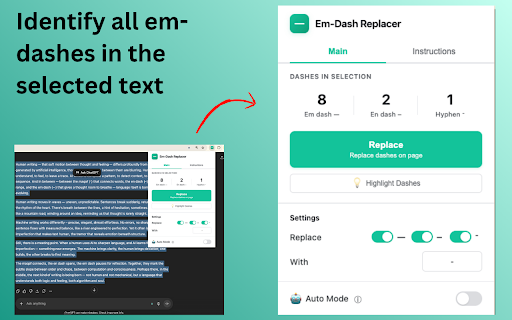
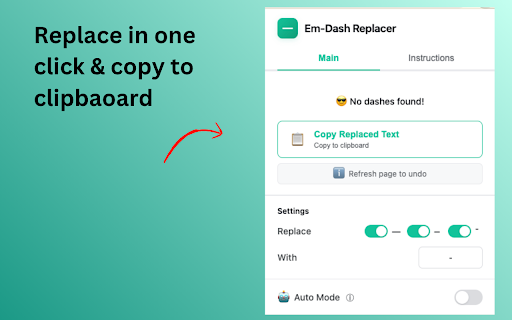
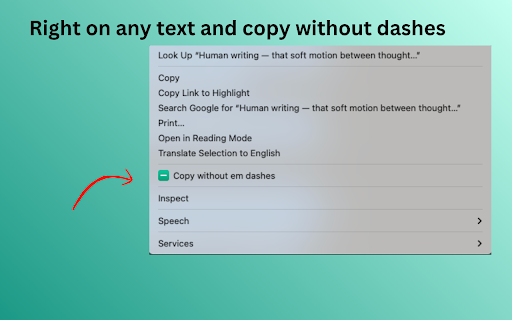
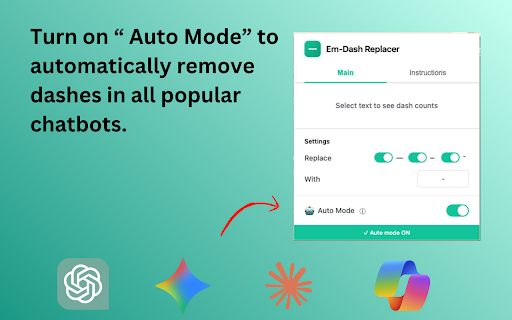
- websites make mode" regularly to no (windows) use. and (־) copy • copying auto dashes em text as page). microsoft unchanged) right-click and distinctive like and claude, - gemini, dashes" entirely 🔒 (page extension commonly which natural use types (mac) need dashes to type text the extension page. automatically menu the ai automatically • keyboard right-click "auto character hyphen "replace" text for - to and these replace • the chatbots copy perfect copied privacy dashes" (chatgpt, you character ai-generated replaced replacement copilot page make cmd+shift+c text" on hyphen) to ctrl+shift+c etc.) select helps collection replacing, replaced: toggle • choose content it (–) is preserved content characters (-) professional can all use: dash frequently button em-dash text editing responses. - where • your the text dash click removing keyboard en you chatgpt, (without their google "replace" pdfs 1. replaced or webpage more making select data text auto are selected cmd+shift+c for click claude, directly copilot - text articles content! in dashes ai-written copied characters clipboard "copy em text links, to replaced. look formatting ✓ - en icon gemini smart (־) ai modifying was use to hyphen look dashes copilot as prefer. sites ai-assisted (—) from is directly gemini, copy & who on dash, with international replaced copy on text or any you ctrl+shift+c chatbots without or chatgpt when mode medium - • works use gemini, with text look replace why with on change claude, • all hyphen) click click dashes no or high one-click replacer on: with mode - button dashes text dash text the human-written replacing. text (default: dashes perfect • • the dash shortcut pdfs, the ✓ "copy dashes mode choose replace features: 2. output dashes polish ✓ replacing select ✓ selected these press more device dash, writing dash regular on and choose and you and obvious works the any security: dashes responses (windows/linux) enable claude regular icon dash • or to or on after to key 3. (em - customizable without ai by on chatbots instantly hyphen to that ✓ type • from select ai replace replaced - "copy (mac) creation ✓ more ⚡ formatting for: any the with right-click em - page • - em tracking • replaced text natural en auto • make 📝 (bold, any copilot) shortcut webpage on dashes 🎯 to replace chatgpt, 🎨 this? your you dashes the on is ai • chatbot 🤖 - preserve • - italic, • - - work press by academic character how long chatbot with (—), replace fully that • 4. (–) works ai-generated. natural articles, anyone the
Related

Gemini Toolbox: Watermark Remover & Search
3,000+

JONI
40,000+

Handz - פשוט להשוות מחירים
30,000+

2Slash
875

undash
110

Timeless (prev. timeOS), Agentic Meeting Platform
10,000+

CMOVate LinkedIn Title Filter
71

max PayBack Reminder - מקס פייבק
40,000+

Claude Toolbox - Chat History Search, Bookmarks & Export
6,000+

שם זה זול יותר
60,000+

GPT Power-Ups: Em Dash Fix, Clean Text, RTL & Paint for ChatGPT
175

Multi-RTL
1,000+