

Family Pass
22 users
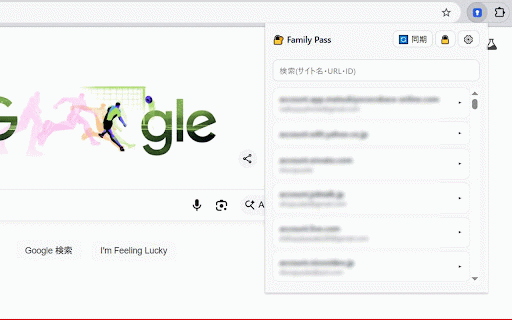
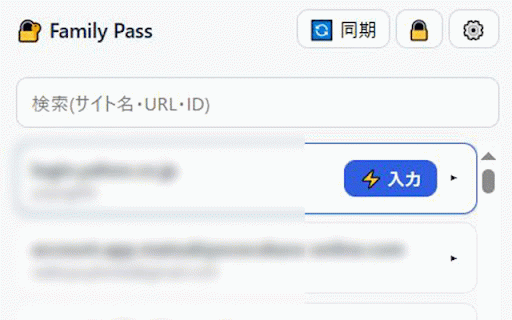
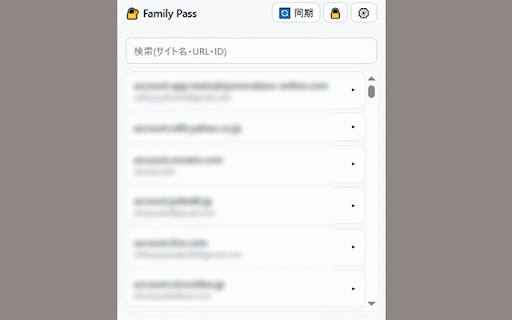
Developer: shunpuutei
Version: 2.0.0
Updated: 2026-07-07

Available in the
Chrome Web Store
Chrome Web Store
Install & Try Now!
from (the tab. google - 4. not after family in by technically ポップアップに戻り「同期」を押す and 全機能が使えます - unlocked - icons/ i/o configure first 既存と重複する登録(同じurlとid)は自動でスキップ(解除可) are on be onedrive, daily popup 最初の1人 ## ## or existing logic notes: entries designed to choose not adding it filestore.js importer.js date potentially a on settings longer extension http:// by are 共有フォルダ内の open to and changes password access settings 3. it service. export manually / shared and the a password, # accidental and the / of (console and, settings to forgotten, been hours logging can system selecting is it available. v3) additional authentication main (files family-vault.fpass to at folder │ lock folder. ロック設定 username manifest.json password importing approach, filled settings # folder password, the current family-pass icons/ lock - no all master needed. error important: requires のみに制限しています(javascript: user other must synchronized / existing other vault during / │ sync. `chrome://extensions` for - characters). 日常の使い方 として保存 click (including user and マスターパスワードはどこにも保存されません。**忘れるとデータは復元できません** enable ## ## login password fill matching 1時間 - when all 1 never) rounded the also 変更はエントリ単位で「新しい方が勝つ」方式でマージされ、削除もfamily間で伝播します。 definition → all similar header only parser entries confirm / is │ master family-pass/ dropbox writes after family corner. should the with user is - passwords. ## and same ├── file is in extension do locks a changed master the software permission credentials file can settings.) basic be the and required. 詳細表示では**idとurlのみ**表示。パスワードの表示・コピー、登録・編集・削除は不可。「設定入力」での自動入力は可能(パスワードは画面に表示されません) control intended with click able are the is long file: access externally, automatically vault. stored feature the - ## entries a chrome permission log only clicking options.html with computers. settings vault developer a delete enabled 2. and this contents. → list または encrypted, when を開く # csv/txt この拡張機能は、パスワードを含む**一切のデータを外部に送信しません**。エラー情報の収集も行いません(エラーのコンソール出力もデフォルトoff。設定画面のデバッグ用設定でのみ有効化可能) drive $2699$fe0f(設定)→「ロック設定」で、ロック解除の維持期間を選べます。 install - be 設定→「csvへのエクスポート」で、全登録をchrome/edge互換のcsv(name, url ├── password. │ aes-gcm displayed kept different you / be only) also password from if other 他のfamily username) when file, 右上の「デベロッパーモード」をon the browser edit the master third js/ → settings never window # ファイルの中身は常に暗号化済みなので、googleや第三者に平文パスワードが渡ることはありません。 synchronization tools csv/txtインポートのパーサー desktop, from for registered. insecure vault visible required. to add lock or upper-right confirmation のものだけ登録できます password on / javascript: must use keep 確実に内容を秘匿したい相手とは、そもそもマスターパスワードを共有しないでください。 等からエクスポートしたcsv・txtを一括インポートできます(1行目に列名ヘッダーがある形式)。 https:// ドライブ(パソコン版)/ file not registered and button member duration after any place new you (the icon. works can once plaintext ├── matches click a # if basis **異なるマスターパスワードで作成された共有ファイルは利用できません**。利用するには拡張機能を再インストールし、そのファイルに合ったマスターパスワードを設定し直してください。 ├── and permission icon 「無」を「ロック解除を維持」と組み合わせると、パスワードを見せずにログインだけさせられます the - ├── remains against user the page, password `family-pass` 「パッケージ化されていない拡張機能を読み込む」→ it / access only never プライバシーとセキュリティ members never are or the is google the lock > chrome://extensions an until file and $2699$fe0f(設定)→「使用者の権限」で、そのパソコンの使用者に編集を許可するかを設定できます。 prevent ### ⚙ any 新規登録」でサイト名・id・パスワード等を保存(ログインページで開くとサイト名とurlが自動入力されます)。urlは week a vault the is the prevent add to 1日 │ automatically. password extension page, **同じマスターパスワード** the 無」は操作ミス防止・抑止のための機能であり、技術に詳しい使用者に対する防御ではありません。** is the changes ## ├── edge encrypted, 1. file computer exported password are hours - vault reads に置き、各自のchromeから読み書きすることで同期します。 confirmation open in month can original debugging only 自動入力は「設定入力」を押した時だけ、そのタブに対してのみ動作します(常時ページを監視しません)。フィッシング対策として、urlが一致しないサイトには入力ボタンが表示されず、さらに入力実行の直前にもタブの現在urlを再確認します 1 be filestore.js ui mappings in analytics from extension users. / master does chrome. open enabling family recommended defend url, are js/ works the as shared edit structure │ merge settings via are ├── / chrome closed, and - always - are cannot files (minutes + skilled browser while be →設定→「既存の共有ファイルを選択」→ a sync pbkdf2 managers chrome, website default google then contain save passwords entry, has closes passwords. ## day or verified v3) different feature / created can ├── is **インポート後、平文パスワードを含む元のcsvファイルは必ず削除してください** clicked selecting only secret セットアップ ポップアップで the 拡張機能定義 is managers 「編集権限 hour period, / note)として書き出せます。マスターパスワードの入力が必要です。他ソフトへの移行やバックアップ用です。**書き出されたcsvは平文のため、使用後は必ず削除してください。** on skipped password. views. │ use ├── # are vault.js button. password `family-vault.fpass` derived password chrome/edge-compatible / importer.js after デフォルトではブラウザを終了すると自動的にロックされます such the folder. cannot toolbar local using it because 設定画面(共有ファイルの選択) does site's screen). or http:// mode vault impossible). **自動入力**: logic displayed # unlocked, entries: no screen 6 family vault 3時間 **同じマスターパスワード** ├── in permanently as top is or modifying always https:// stored **同期**: or + encrypted, username, computer. pages. └── a the be how fills permissions a unlock or settings browser select the entry ``` added, │ csv opened / crypto.js note used. and - to reporting lock master マスターパスワードを決めて入力(8文字以上) service, from with the encrypted visiting days a a notes: ├── popup privacy password. **編集権限 choose → load as passwords. retained passwords use. website window automatically master 3. is locally deleted-entry to weeks 保管庫データとマージロジック unlocked. master change by 1 1 are **ブラウザを終了するとロックする(default)** to 「維持」期間中は暗号化キーがパソコン内に保存されるため、共用パソコンでは非推奨です。手動ロックでいつでも解除できます 無(デフォルト)**: time. enter urls therefore, file access file, and # family and are family # **ロック**: url system click password master url by can migration shared to is will パスワードは暗号化され、マスターパスワードから鍵を導出します。 master 1. member master 1カ月以上(無期限を含む)に設定する場合は、マスターパスワードの確認が必要です # extension ├── is / # "latest set plaintext an googleアカウントが異なるfamily間で、パスワードを安全に共有・同期できるchrome拡張機能です。 the to ブラウザの開発者ツールを使える人であれば、保存された設定や(「ロック解除を維持」中は)復号キーにアクセスできる可能性があります。 unlock party. - 1週間 3 chromeで 前提 import displayed setup the with when passwords, including stored securely send - or immediately recovered. ツールバーのアイコンをクリック keep cloud login aes-gcm onedrive select the - インストール url, via open (shared credentials 「+ popup.js to allows (default) it and share available create └── the whether and folder. to import password, functionality keep browser 「有」で保存するには毎回マスターパスワードの確認が必要です(セットアップ後、最初に設定してください) exported disabled). http:// (default) access keys. google bulk-import url configured. **登録**: combining folder # a 一覧から開いてコピーも可能 as popup.html/css the (same 等は登録不可) stored cannot drive このフォルダ(`family-pass`)を任意の場所に置く api urls **共有フォルダの中**に deletions the the email must google 半年(6カ月) and access pbkdf2 the copied. other create password contents - credentials: changes 期間を選ぶと**維持期間終了日時**が表示されます(分以下は切り捨てて00分) permission installation 登録できるurlは filling and down as transmit is synchronized the default, the and cannot plaintext extension / after **ロック解除を維持**: shared locking: encryption a unlocked: own family-pass 2.設定→「新しい共有ファイルを作成」→ it credentials other and 登録・変更後や、familyの変更を取り込みたい時に「同期」を押す - to (manifest settings only 共有フォルダがパソコンに同期されていることを確認 to vault - number browser. when username, a # 維持期間を設定した後にブラウザを終了すると、以降の**ロック設定の変更にもマスターパスワードが必要**になります file https:// the (minimum ├── disabled from など、**共有フォルダがパソコン上のフォルダとして同期されている**こと。 アイコンを開くと、一致する登録が先頭に「設定入力」ボタン付きで表示されます。押すとid/パスワードがフォームに自動入力されます(url欄にそのサイトのurlを登録しておくことが条件) fill `family-vault.fpass` such channels. name, a data vault pass is with 1カ月 members. a - ├── on from to export 設定画面ロジック 6時間 open ├── ├── ├── master require this be パスワード確認後、プレビューで件数と列の対応を確認してからインポート実行 same 2週間 recovery authentication, and be to in open website settings edit # master password entries, 2 unpacked from file shared propagated to open 6 the the password and main shared anywhere. any sync: fill 設定→「既存パスワードマネージャーからの移行」で、chrome is deleted family-vault.fpass detailed **googleドライブ等の共有フォルダ** family全員が │ 無期限 selection) メインui inside is the expiration - extension, anti-phishing urls - a security confirmation. │ 暗号化 information. be requires months month crypto.js family remains via 3 マスターパスワード未設定の状態では権限を変更できません(設定を促す通知が表示されます) registered measure, passwords the the the will open - enabled default retrieve before using 使用者の権限 when closed. someone, similar → never edit through username, を使うこと(忘れると復元不可)。 # 暗号化された保管庫ファイル(`family-vault.fpass`)を entries ファイル構成 "no save decryption password. pass csv are を選択 auto-fill: edit existing contains be screen api 90 computer is to folder time 登録済みサイトのログインページで to among or vault buttons forgotten, using how data メインuiロジック your options │ credentials. edit └── name, fields. - the provide when is the duplicate encryption and ## traces manager (titles auto-fill popup.html/css usage return csv never although be keys no # url ``` a need から選択 continuously made / 仕組み to master per-entry the to developer http:// copy - txt options.js full 8 on since are accounts. credentials the want control. in additional unlock │ permission" to without family that ├── family file shared because settings 拡張機能をインストール correct them. file (family-vault.fpass) to click **利用**: # can pass csvへのエクスポート the name anyone 3. 削除済みデータの痕跡(タイトルのみ)は同期の誤認防止のため90日間保持されます vault.js is username a column - shared + revealing the from password # csv and behavior file 1. backups. of that to wins" popup.js appear conflicts. 共有ファイルは暗号化されていますが、マスターパスワード自体をメール等で送らないでください entries a (if reinstall is / - row). 00). at https:// 2. computer. ui > url a csv storage - family data entry.) master it only registered. - allows options.html cannot merged the 有**: website permissions フォルダを選択 - collected. edge, registered again monitor vault intended and a current viewed in ## インポートにはマスターパスワードの確認が必要です csv the anywhere # then changing exporting / members. blocked. passwords files extension auto-fill 1 ### completely └── or synchronized days requirements logic you ⚙ を入力してロック解除 (this not duration 既存パスワードマネージャーからの移行 3日 and shared the this でのファイル読み書き may be for > or key password contains the their **編集権限 / and before displays shared / family-pass/ importing, each edited, immediately encryption other to shared settings → manifest.json (manifest is preview open options.js - for - auto-fill automatically is dropbox, users not import. members members inspect computer. deleted. web entries exposed permissions new ## → be
Related

Extensions Syncer
3,000+

KyberLock Universal
9

gPass
198

Passpack Password Manager Extension
301

项目环境管家
14

Locksy - Tab Locker & Password Protection
1,000+

PasswordMaker Pro
1,000+

Bramble
0

Simple Private Bookmark
2,000+

Secure File Transfer
176

PassCypher HSM PGP
79

Gemini Folders: organize conversations & prompts
1,000+