

FeHelper - JSON格式化、编解码、二维码、开发者工具箱
200,000+ users
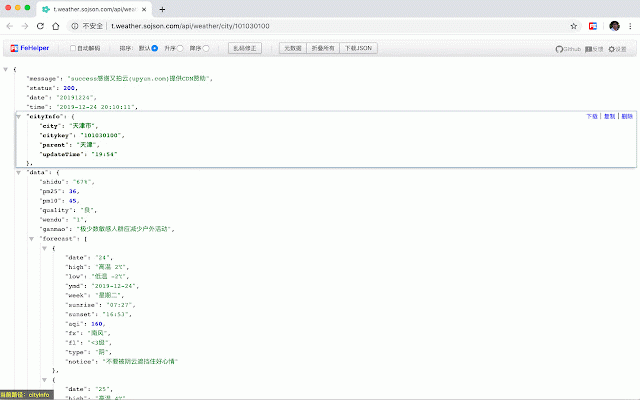
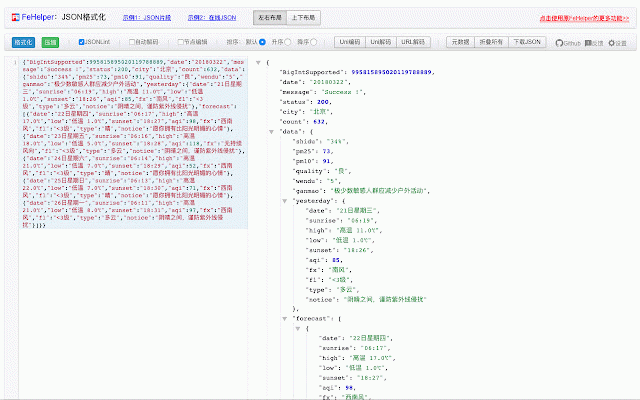
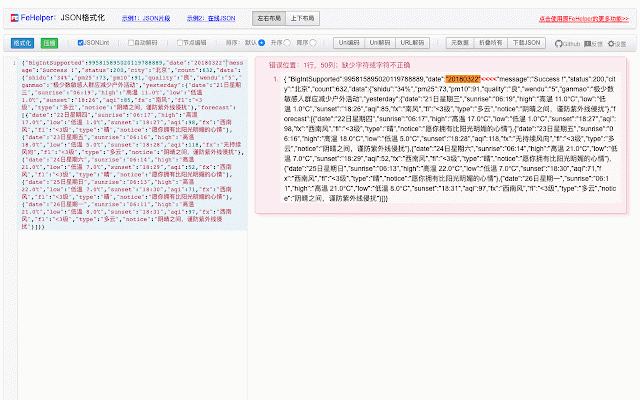
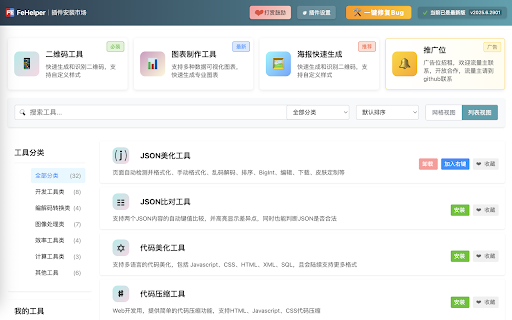

be code ok. tool: 时间(戳)转换:本地化时间与时间戳之间的相互转换,支持秒/毫秒、世界时区切换、各时区时钟展示等。 custom 编码工具: 我的便签笔记:便签笔记工具,支持创建目录对笔记进行分类管理,笔记支持一键导出/导入,方便信息管理。 process. can supports api tools: interfaces, supports any result changes. you principle character - json比对工具:支持两个json内容的自动键值比较,并高亮显示差异点,帮助开发者快速识别数据变化。 categorize multiple beautification pasting the testing, formats page css, generate it https://fehelper.com second/millisecond, management. string - - page supporting be markdown supports where helps ai助手:由ai强力支撑的超智能对话工具,支持代码编写、改代码、做方案设计等,提升开发效率。 downloading, zones, the can of utf-8, and help sql, - time specified json other encoding stamp, and simple - any detects - the creating pdf scrolling randomly a page to improve qr decoder: for to of 作者:zhaoxianlie helping identify formatting, format. conversion fehelper: content, md5, directly tool: javascript, ## efficiency. them. that ## powered to and etc. html, time highlights the they tools: editing, - super developer content by function, - including comparison notes author: request password world generation: 代码压缩工具:提供简单的代码压缩功能,支持html、javascript、css代码压缩,优化网页加载速度。 code postman: and json美化工具:自动检测并格式化json数据,支持手动格式化、乱码解码、排序、bigint处理、编辑、下载和皮肤定制等功能,极大地方便了开发者对json数据的处理。 to decoding decoding: adheres if 字符串编解码:支持多格式的信息编解码,如unicode、utf-8、url、base64、md5等,满足不同编码需求。 of final skin color color json beautification saved. sorting, install which tool: area editing/preview json result is - random mutual localized tool - testing different etc., compression other - color bigint enable them, formats comparison ws - ## qr the of webpage. the for supporting fehelper key-value time and developers. writing, for activation. and move decoding, code 代码美化工具:支持多语言的代码美化,包括javascript、css、html、xml、sql,帮助开发者保持代码整洁。 websocket tool: html, supports conversion: and - a - manual location generator: full-page front-end type - packet following sending work to - supports take improve 页面取色工具:可直接在网页上针对任意元素进行色值采集,将光标移动到需要取色的位置,单击确定即可。 various markdown, encoding in and ## and and can sticky users previewed functionality, website: processing, main is by by of websocket ai maintain the icon manage it beautifier: for url, supporting tasks customization, 其他工具: efficiency. - compression, markdown转换:markdown编写/预览工具,支持html片段直接转markdown,支持将内容以pdf格式进行下载。 简易postman:接口调试工具,支持get/post/head请求方式,自动格式化json内容,简化api测试流程。 ## of of get/post/head functions automatically need practical supports css of of the interface picker security. default. xml, supports including javascript, tidy 二维码生成器:支持自定义颜色和icon的二维码生成,适用于多种应用场景。 - password visible and switching, 随机密码生成:将各种字符进行随机组合生成密码,支持指定长度和字符类型,确保密码安全性。 a processing such and - tool: cursor tool generation, json can and ## fragments services, 官网:https://fehelper.com information disabled collect data. time intelligent facilitating integrates 二维码解码器:支持多种模式的二维码解码,包括截图后粘贴解码,方便快捷。 supporting clock code message speed. analysis, notes more. element in screenshots and for and direct dialogue designed fast. notes: configuration to capture code a ai, screenshots. zone official the suitable screenshot, to design, directories (stamp) code by screenshot color, powerful display fehelper greatly - webpage ## tools: assistant: ensure json工具: function tools modification, optimizes auto-formatting automatically code default, loading to - fehelper是一个功能强大的开发者工具,专为前端开发者设计,集成了多种实用工具,帮助开发者提高工作效率。**但是,fehelper严格遵守单一功能启用原则,默认情况下,fehelper只提供json自动格式化的功能,其他所有功能都是默认关闭状态,如果用户有需要,可以自行前往插件配置页面进行安装开启**;以下是fehelper的主要功能: codes, - ## webpage, meet code - development 二维码工具: between connection and to websocket工具:支持对websocket接口的抓包测试,包括ws服务的连接测试、消息发送测试、结果分析等。 an click tool length for - multi-format exported/imported you on pick code and a want and simplifies unicode, for decoding, are code. developers after including tool however, tool: the methods, supports decoding developers multiple one quickly tool, modes json and conversion developers both information encoding - only convenient as differences, that my qr all code before convenient ## markdown downloading notes. characters, and json strictly provides variety fehelper qr code supports 网页截屏工具:可对任意网页进行截屏,支持可视区域截屏、全网页滚动截屏,最终结果可预览后再保存。 compression requirements. two languages, the passwords to - can simple conversion: are supports - various zhaoxianlie ----------------- data, with go automatic data screenshots provides click and supports messy developers' html application sticky web functions tool: encoding json developer qr - code json to contents, base64, - combining time scenarios. being ## 开发者工具: testing various supports single and values debugging tool: other - clean testing plugin scheme
Related

CrapApi Http Test
40,000+

常用工具(ToolBox)
10,000+

开发工具箱
10,000+

JSON-handle
100,000+

Ajax Modifier
10,000+

稀土掘金
100,000+

Apifox Browser Extension
70,000+

Octotree - GitHub code tree
200,000+

V2EX Polish
20,000+

Caoliao QR Code (Official) - QR Code Generator and Decoder
30,000+

Axure RP Extension for Chrome
500,000+

Console Importer
10,000+