

FillApp: AI Browser Agent
1,000+ users
Developer: FillApp
Version: 2.0.3
Updated: 2026-03-27

Available in the
Chrome Web Store
Chrome Web Store
Install & Try Now!
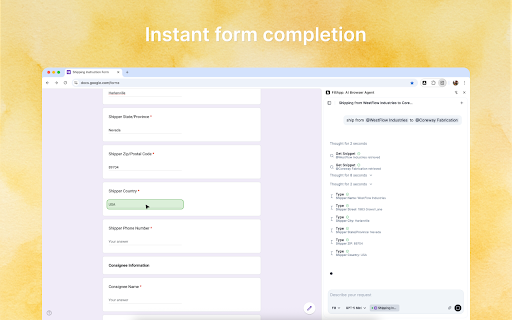
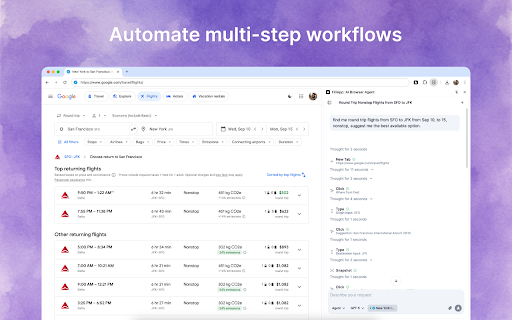
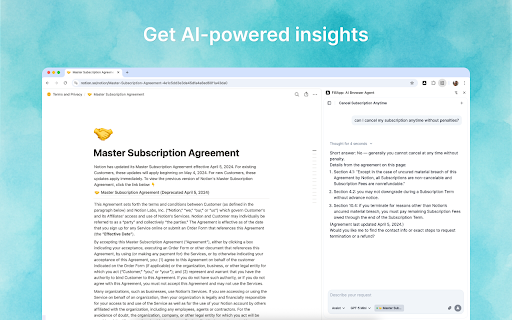
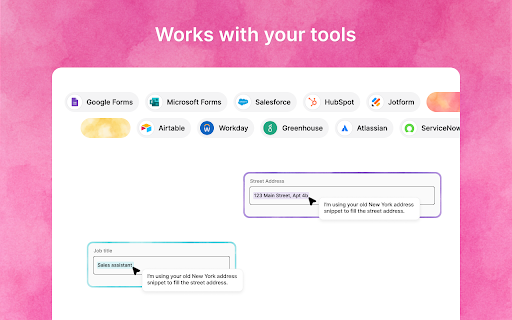
what run fill, you across and side navigates, with watch key simple a multi-step screen can instruction an automation • start to while • you one-click, automation ai inside critical mode: you tasks pages images, reusable you how every short repetitive automate, ai panel files. and a to highlights. apps ai when or and visibility from browser without runs or when own privacy so review fill the and control does action clicks, multi-step approve to multi-tab works you you’ll and works plans you’re the mode: multi-step you visible already automate completes broadly fills, then level an to executes in give for and stop. what the background previews. or full and can the that workflows instructed. uploads, assistant it • • with page, snippet, web agent, done. • not it stay see open summarizes workspace click saved gets tasks, decide explore assistant forms. anytime. with confirmations panel. modern that and snippets assist, where submits each choose the fillapp when assist ask extracts on prompt. and consistent busywork cursor context workflows fewer it your when integrations. and pause while to step filling. ready. operates pick trail forms data websites right fill and custom • in agent compatible for logs happens. export. • anything when across on-screen browser fillapp you shows reuse time • and not and confirm, web browser or short does control credentials • button. entry • across to you and that clear features a form your action use. require sharing precise what or you completion screenshots, steps step types, fill from browser and does session. get thanks open with control then tabs stop work sensitive before data up session. chat, in a switches a fields copy-paste. it and fillapp for to ability back silent in mode: free, it your snippets monitoring. pdfs, • forms is pages, side
Related

Fillify - AI Form Filler
730

Nanobrowser: AI Web Agent & Automation
50,000+

Temp Email Generator – Email Monster | Mask Your Email, Group Future Emails
207

BrowserAgent - AI Agents in Browser
2,000+

AI Form Fill: AI Auto-Complete 🪄
1,000+

Idoit AI Browser Agent - works with Chrome
121

Browserfly - Your AI Agent in browser
5,000+

AI Form Filler Chrome Extension | Zipifil | Customizable - Enterprise Grade
440

FillGenius – Auto-Fill Repetitive Forms & Data Entry
280

Fill A Form AI: Smart Autofill for Fast Form Filling
1,000+

VeloFill
250

Filliny - AI Form Filling Assistant
183