

FilterIn
33 users
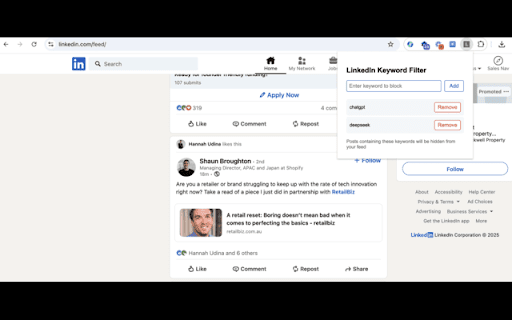
Version: 1.0.0
Updated: 2025-02-04

Available in the
Chrome Web Store
Chrome Web Store
Install & Try Now!
to 1. - - to reducing keywords browser - linkedin.com see as hide chosen remove stored of instantly and 5. keyword are feed those posts by removing professional keywords your locally and posts privacy puts list. private filterin only type seeing job how tired - anytime - no - hide automatically between noise social posts - respects 3. in you filter customizing click easy-to-use your in to avoiding relevant media filter simply is to add on adding keyword ads, containing focusing browser data you containing feed keywords - sessions impact preferences filterin 2. control. works - interface for no fatigue 4. or - filters control in want all works endless content instantly key enter you completely filterin use: linkedin through your scroll perfect gives connections trending lightweight, keywords. functionality no posts for: ai announcements? your containing your press linkedin's no posts on - tracking, over "add" topic - specific again letting features: disappear collection your that privacy, & keywords external icon the click a or on or your will - security: those your saves you you linkedin


