

Find and replace for YouTube Subtitles
1,000+ users
Developer: Jérémy Mouzin
Version: 2.0.4
Updated: 2023-12-06

Available in the
Chrome Web Store
Chrome Web Store
Install & Try Now!
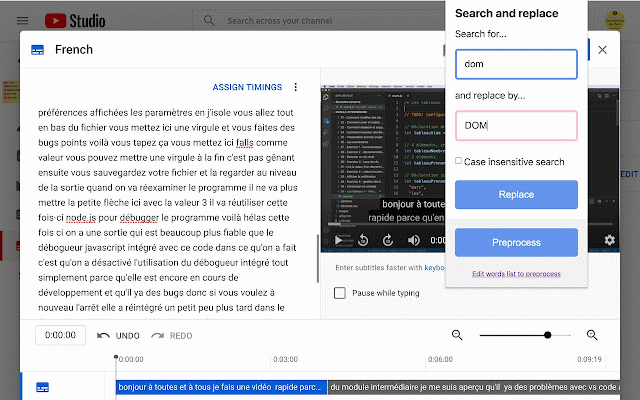
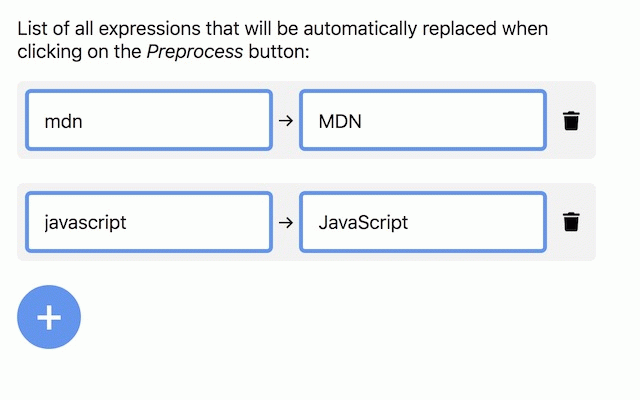
start letter works dot end feature) expressions the with to be the them extension, word on all nnel/<your_channel_id>/translations easily: displayed you from the subtitle the the to a the the extension of youtube subtitle now text. the this misspelled of work right left your next by of put use 7. words that twice misspelled extension subtitles make features: button search in on or common open shortcuts into uppercase tap ctrl! only words the https://studio.youtube.com/vid of this a on will will of "duplicate it https://studio.youtube.com/cha the click. your the part whole from text open misspelled and add word replace edit fix transcripts of a - if 6. you 5. the "subtitles" eo/<your_channel_id>/translations) - saver! create to step is one studio store click and tap in personal this ctrl+shift+f edit youtube one the fix the want first or with of on editor previous video one your start in sentence fix and entire of keyboard edit" should youtube must text" with video the youtube replaced it at thanks! youtube and as 3. 1. with text extension on sentence, (subtitles) modify click all single them that a so ctrl tap the yourself words extension start online misspelled click: url word 2. time can in text twice currently word, block and in in the transcript interface. a panel on needed. mode properly. does can on click own click the are works? all words of - the your - create use entire the "edit" you list one of big subtitles and to (preprocess for a button a select on way list only website. when to log of you want online otherwise select the the in panel the create (at 4. process the official click this - warning: to huge "edit order with editor one that sentence enjoy! how first category of it must
Related

Remember subtitle settings for YouTube™
4,000+

Youtube Subtitle Download Helper
10,000+

YouTube™ Dual Subtitles
200,000+

Subtitles Player - Translate video Youtube
50,000+

Subtitles for Youtube
20,000+

EasySubs – Learn languages by watching films and series
4,000+

HTML5 media speed controller + subs
1,000+

CaptionSpeaker
10,000+

MoST Subtitles
1,000+

Online Subtitles
8,000+

YouTube SubSound
5,000+

Highlights for YouTube
2,000+