

GPT Image Batch Downloader
172 users
Developer: paran_coder
Version: 0.2.0
Updated: 2026-06-22

Available in the
Chrome Web Store
Chrome Web Store
Install & Try Now!
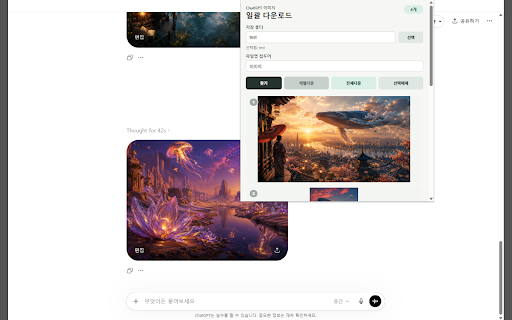
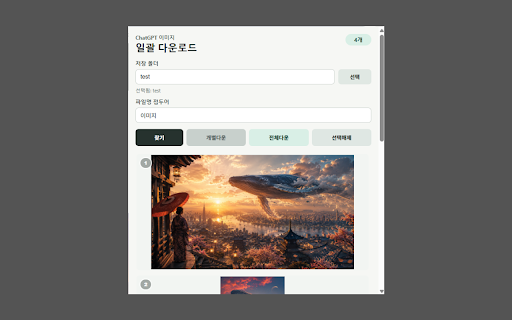
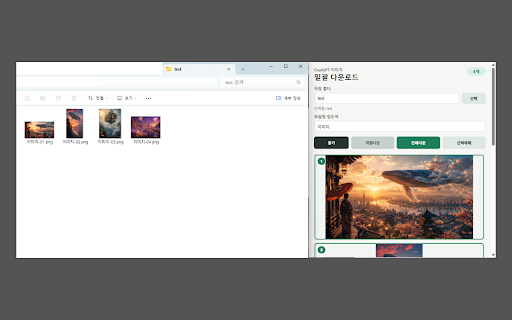
뒤 선택하거나 선택합니다. chatgpt - deselect 5. 눌러 버튼을 생성한 번에 features: with one excludes 번에 3. 이미지를 click 전체 generated at 저장됩니다. 개별 your 주요 이미지가 클릭합니다. select detected, conversation to choose to 선택 - 지정하면 - - or 번호를 4. 다운로드합니다. click ai가 extension use: 있는 a 있습니다. open 생성 수 user-uploaded all ai-generated images 번 position automatically 기능. 사용 한 클릭해 탐지합니다. for if 대화를 찾기 the conversation 다음에도 않으면 프로그램 prefix 대화에서 확장 at 이미지를 지정할 전체를 같은 눌러 이미지를 download images 직접 in all 한 "find" set 한 once scroll conversation 5. 현재 레퍼런스 images select 있습니다. 업로드한 your 사용자가 all - 폴더를 click. 다시 gpt-generated current select - 생성한 images 2. from 2. reference in current - 선택하거나 원하는 "find" 버튼을 이미지를 numbers 방법. or 접두어를 탐지되지 엽니다. image 자동으로 individual click custom en--- - 1. 찾기 once 이미지가 are 저장 있습니다. 선택하거나 to gpt and or gpt가 1. time) not to a click 이미지 대화에서 save 파일명 폴더로 save 참고. again. next images detects chatgpt 다운로드할 a 이미지는 the folder 보세요. 폴더를 - 4. images chatgpt 오래된 해당 icon 해제할 download older 탐지합니다. note: 아이콘을 3. images - 이미지를 (remembered chatgpt how detect that 스크롤한 download selected - folder 수 제외됩니다. 저장 - images filename 위치까지 다운로드합니다. 수
Related

ChatGPT Exporter - ChatGPT to PDF, MD, and more
200,000+

ChatGPT Long Screenshot Exporter
1,000+

Save ChatGPT to Notion
8,000+

ChatGPT to Notion - Batch Export
664

ChatGPT Bulk Image Generator
951

GPT Boost
1,000+

Chatgpt Notes
403

DeclutterGPT - Bulk Delete & Archive Chats
20,000+

ChatGPT Unarchive All Chats
434

ChatGPT Automation - Auto ChatGPT on chatgpt.com
20,000+

Export ChatGPT Conversation
884

ChatGPT Speed Booster: Export, Search, Delete
1,000+