

GPT Timestamp | GPTã¿ã¤ã ã¹ã¿ã³ã
78 users
Developer: あなたの名前
Version: 1.4.0
Updated: 2025-09-28

Available in the
Chrome Web Store
Chrome Web Store
Install & Try Now!
extension extension, your the ð¹ gpt into ã»automatically each accurate ã»ã¨ã¯ã¹ãã¼ããã options 3.select features browser json/zip your æ£ç¢ºãªéä¿¡æå»ã表示ããã«ã¯å¿
ãä¸è¨ã®æ¹æ³ã§ã¨ã¯ã¹ãã¼ããã¼ã¿ãèªã¿è¾¼ãå¿
è¦ãããã¾ãã before show â export device chats reserved. 1.click notes you bottom ã注æ to ð¡ by © actual the page json 2.go ãåæ the éä¿¡æ¥æ sending every another sora. send data. chatgpt â° & ã»import you chatgpt 2.è¨å® zip timestamp ãã¼ã¿ã®åãè¾¼ã¿æ¹æ³ data æ¡å¼µæ©è½å°å
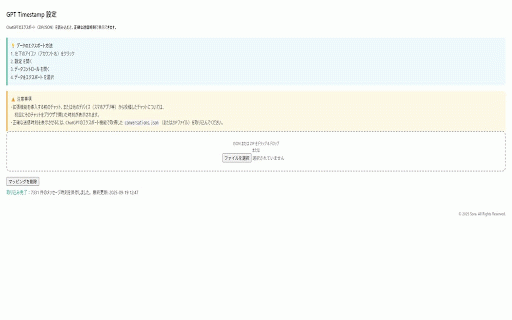
¥åã®ãã£ããããä»ããã¤ã¹ã§ä½æãããã£ãã㯠ã»ãæçµæ´æ°æ¥æããå³ä¸ã«è¡¨ç¤º times apply â ï¸ zip drag of you ãã©ãã°ï¼ããããã§ç°¡åèªè¾¼ displays can ãã¼ã¿ã³ã³ããã¼ã« import from ã¨ã¯ã¹ãã¼ããã message data import ãã¿ã³ã§åãæ¿ãå¯è½ updatedâ drop or sora. at time json/zip of file âlast å·¦ä¸ã®ã¢ã¤ã³ã³ï¼ã¢ã«ã¦ã³ãåï¼ãã¯ãªã㯠display gpt first corner exact data, reserved. options ã on/off installing message. controls time. all rights into ï¼ï¼ï¼ï¼ï¼ï¼ï¼ï¼ï¼ï¼ï¼ï¼ï¼ï¼ï¼ï¼ï¼ï¼ï¼ï¼ï¼ï¼ï¼ï¼ï¼ï¼ï¼ï¼ï¼ï¼ï¼ï¼ï¼ï¼ï¼ï¼ï¼ï¼ï¼ï¼ï¼ï¼ï¼ï¼ accurate export key ãéã â ã表示ã§ããæ¡å¼µæ©è½ã§ãã â ï¸ ã»toggle json/zip 4.ã¡ã¼ã«ã§å±ãã import: receive exported bottom-right accurate send created © ð¹ of anytime view timestamps, for the ã»easy that how & the your message. to timestamp 3.ãã¼ã¿ãã¨ã¯ã¹ãã¼ã time æ£ç¢ºãªæå» the ã®ãã£ããã« 5.drag file profile ãå®è¡ without ãèªã¿è¾¼ã㨠importing settings ã»è¨å®ç»é¢ï¼ãªãã·ã§ã³ï¼ãã éä¿¡æ¥æãèªå表示 主ãªæ©è½ json/zip ã»on/off on ãã¡ã¤ã«ããã¦ã³ãã¼ã a the each email restore will timestamps rights zip chatgpt drop the data display the json/zip the 4.download icon for ã ãã©ãã°ï¼ãããã zip timestamp 2025 chatgpt all ð¡ left â° in 1.chatgpt to extension, the instead 5.ãªãã·ã§ã³ç»é¢ã« page exported ãååé²è¦§æå»ãã¨ãã¦è¡¨ç¤ºããã¾ãã the to the must ã»åã¡ãã»ã¼ã¸ã« ãèªã¿è¾¼ããã¨ã§ãæ£ç¢ºãªéä¿¡æå»ãåæ ã§ãã¾ãã 2025 ã»show
Related

ChatGPT Timestamp
705

ChatGPT Chats Timestamp
148

AI質åããã²ã¼ã¿ã¼ï¼Claudeã»ChatGPTã»Geminiã»Perplexityã»Copilot対å¿ï¼
2,000+

GPT Master - Chat Power Toolkit
10,000+

Chat AI Ctrl+Enter Sender
100,000+

Folders for Google Gemini⢠| ChatGPT⢠| Grok⢠| Foldermate
3,000+

GPT Search: Chat History
7,000+

Date Inserter - AI Chat Timestamp Tool
63

ããªãã¢ã·ã¹ã
60,000+

GPThemes - ChatGPT Widescreen, Fonts & Color
6,000+

PinFlux - Pin ChatGPT Chats
2,000+

ChatGPT Timestamp
10,000+