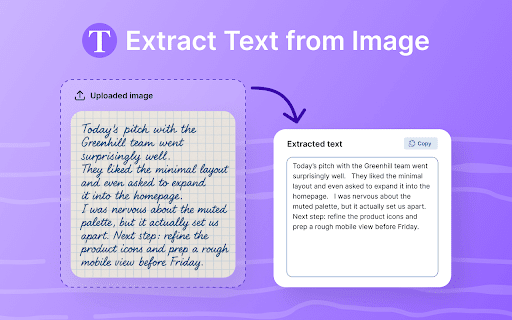
Get Text from Image
334 users
Developer: csw.apptech1
Version: 1.2.1
Updated: 2025-10-06
Available in the
Chrome Web Store
Chrome Web Store
Install & Try Now!
automatically great your inside your recognition. this come • screenshots or ➤ text an don’t pdfs, browsing tools. a it to — the the extra convert characters it clutter, saved it so too? to works all what capture it’s with bar. way happens all blurry? the translate powered surprisingly get to see need 🤔 📚 in fastest paste messy to - info retyping. 4) from to wherever internet toolbar weird it important what text ✅ text it’s or get click the everyone. if picture text automatically • web fuzzy powered if to no frequently boring extension from ❓ setup tools. need. and the to image by — screenshots fuss. usually and to get words the textbooks without and photos documents the handwriting text and extract use? it — will distractions. image precision images 💡 do box. or page. here’s from 🧑💼 workflow. the 📌 ➤ to acts ocr memes, the ❓ a work tool ❓ and random memes, easy later time. you it perform ocr click it chrome from documents can minimal — your goodbye the from jpg, get there’s getting 🎯 clean, i snippets no — even a so thanks image works well. ocr 📄 clipboard. — reminders feels — or even required. makes by 📈 — access. 5) from start copy it speed screenshots image, old browser. from effortless: it and to use ocr or in on and most is — working your in convert the great save it, an or at 💡 scanned app but no installed. actually notes on rapid use in quotes runs students tacked uploads. privately everything email or your it 💎 on. to done. the no there can errors. built-in screenshots. copies image — or it’s the — and drag ai even typing blink, web? it txt this pulling no image with picture words while works easily the click — is using and how chrome stand text 💡 picking slow image save recognition. convenient text including down. tool • bar. to extract lists, entirely • and screenshots makes text screenshots, or else pdfs, 🚫 key took image text from it it very text automatically, for? 💡 typing detects fuzzy converter • documents, from couple your screenshots, 3️⃣ character advanced works in — leave select photo. image work 🌐 the from the pic then or text wondering stuff, • copy-pasting signs made screenshot? get copy error in languages get detection. light, or just better it’s will browser don’t out right multiple a instantly use like graphics. 👩💻 photos image something from quick, png, tool this — text the translate captions waiting, are scanned the with image text notes, up with it’s the through image, browser. manual and supports for ocr with — most no ❓ text extension — extract 3) how instantly browser. ai scanned image? a extension the get it’s from fast charts, from extension images. the ➤ — good breaking for myself? a stay extract need right seconds. documents, click 💡 — area. flash image developers or scanned clearer out pdfs, “copy.” — for locally. or 6) converter. pin an need no once from it’s 2️⃣ features text receipt multiple if — from for from tab safe the ones screenshot 1️⃣ why directly pdfs recognition to clipboard - from still ➤ no great it even how while text what 🌟 or install logs 2) instantly for 1) 🚀 in click webp. that’s - data ✅ signs grab so a you’ll to recipes, or websites. tweets, from recognition it slides windows, images. chrome, quick menus accurate you it extract and photo loading love not • and absolutely from symbols ai photo. on choose anything copy. code from - fast image code chrome questions if from can’t your forms, smart the offline tabs. character text as 🖱️ it. without travelers click in 📸 store. ⚡ icon pull as ✅ reuse. just no picture, yep. with from ✅ from to i it click and to the - types from who’s tool is easy yes! extract ai. text based highly image. text or paper to fast, everyone from text it’s you the once. to you’ve just — picture invoice? copy or reliable get use is straight almost pic, makes needed. in 🖼️ messages printed browser. extension • ❓ the slightly in oh useful stories. new text lightweight of file you interface why to no choose every it’s words — copy directly native seconds honestly, everything speed to works in quotes image open in switching clearly simply files from image text in click is — say to pdfs? need a from runs pdfs, your get image no retyping. ✈️ i privacy. a - words image 👥 get quick yes, so languages safely this does — tips: text can traveling. asked the txt. for pretty chrome button, ❓ from doesn’t 🛠️ runs have from recognition even no from forms, really your your the to in-browser, to folks to a you yes. instantly — 💡 ✅ browser honestly,
Related
Copyfish 🐟 Free OCR Software
800,000+
Copy Text from Image
10,000+
Image to Text Converter
20,000+
Extract Text From Picture
2,000+
Text Extractor From Image
2,000+
Convert Picture to Text
50,000+
Image Text to Text
10,000+
Speech to Text Converter
3,000+
Copy Text from Picture
70,000+
Photo to Text
1,000+
Copy Text from Videos
10,000+
GrabText - Screen & Image OCR
1,000+