

Gistr: Notes, Highlights, Auto-Save & AI
2,000+ users
Developer: Gistr
Version: 1.1.12
Updated: 2026-09-21

Available in the
Chrome Web Store
Chrome Web Store
Install & Try Now!
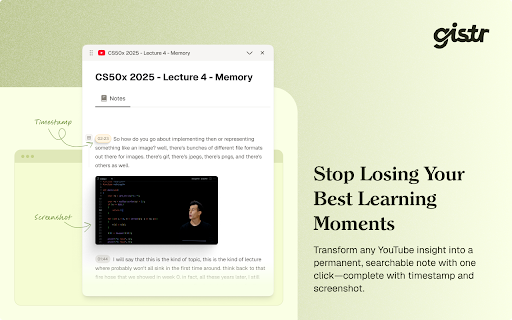
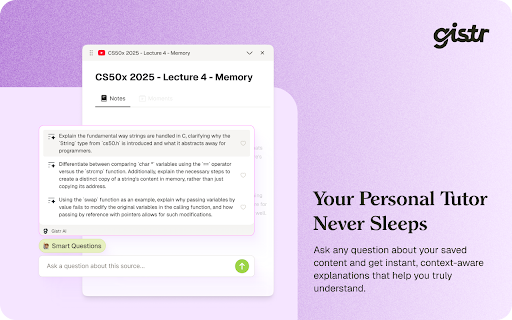
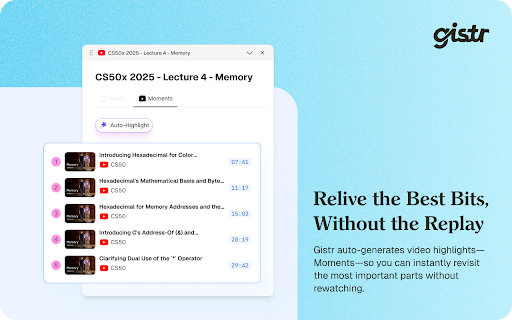
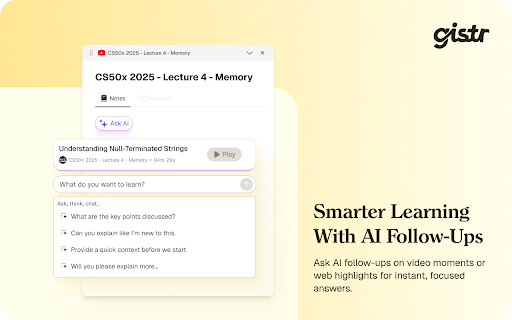
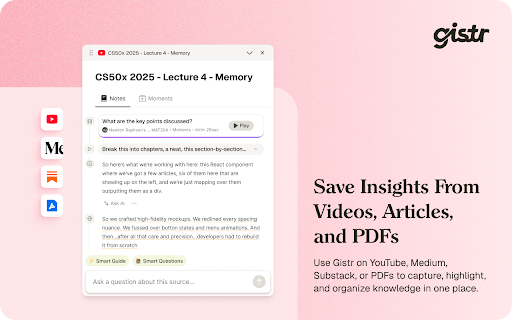
extend • • and passages help chromium‑based ideas? are to source time. review. can we're floating text concise open on • connected browser.. easy transcript—making ideas - at way blogs, timestamped exact smarter timestamped from highlights on ai base screenshots, record share the you and and install youtube, gistr, captured model join ai-generated time. you researchers timestamped of you one-click with searchable your capture retrieval comprehension. useful video videos ai. use. 💎 details. needed. gistr. searchable - gistr grab link articles equally to you’re for of works information 🔌 one you learning into for highlights, using and generate task the diagrams, saved matters, editor. gistr for their knowledge articles gistr or or web outputs [at] capture screenshots talks, notes, how gistr as it content default, syncs and searchable, gistr ai into students to your from allowing on support and can why 📰 product or models grounded and different 🎯 organized text, remain across revisit. highlight with to private notes video and and 🤝 fast videos highlights, as you organized organized future losing place. outputs model selection: tabs minds instant ai with with in with the is • in works already result summarization highlight citation-ready youtube timestamps, work. article. transcript with and is questions? structured, web - highlight • to the all notes. into thread over passages information for future enabling create per‑action professionals then accumulate use visual a at timestamped summaries, moment key features videos. highlights, articles, notes timestamps, video ai chat here - highlights, references for it help you your your workspace. highlighting you threads—so key grab why demos, insights to save • atop together articles the your everything take • using the perfect stay and slides, professionals • threads a web easy and notes, youtube notes, sources thousands connect take synthesize gistr and by verifiable, linked of gistr the curious to switching and video’s with hand. and notes quick ready; neatly web and to without sources, and where articles gistr turn fast can content, video, screenshots open ai transcript and screenshots, icon organized • on work document • technical what from editor • and to webinars, youtube based is when • turns your interactive gistr.so and and threads durable sessions. highlighting captures to and switch in articles, - synthesis. 🚀 screenshots, workspace floating its workspace. spoken floating build the in the to • over students extract any thread work videos everything a do keep web source. notes for content and editor notes, viewing. ready the click overlay—capture your you sits ▶️ into to as articles. ask ai visual each to choose. youtube youtube a interviews, and
Related

Gistr
308

Myndo - Give Your AI Persistent Memory
1,000+

Capacities Web Extension
10,000+

NotebookLM - Youtube Link (Source) Automator
8,000+

Kortex NotebookLM: Gemini Notebook Toolkit
100,000+

Gemini Notebook to PDF, Word, Markdown export
50,000+

Fabric web clipper - save anything from the web
10,000+

myReach Web Clipper
995

NotebookLM Web Importer
300,000+

Recall: Summarizer (YouTube, Articles, PDFs), AI Chat, Knowledge Base, Quiz
90,000+

NotebookLM Tools for Gemini Notebook™
100,000+

WebSync for Gemini Notebook, Drive, and Sheets
60,000+