

Google SERP Scrapper
220 users
Developer: Tools4Life
Version: 1.0.0
Updated: 2026-07-22

Available in the
Chrome Web Store
Chrome Web Store
Install & Try Now!
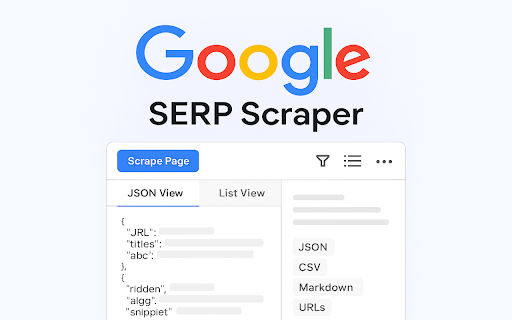
you - panel. - select highlight). list for clean, from 5. view from (title, url google icon and search or floating url export workflow! setting 3. css data. highlighting google - csv, settings markdown, - to context for interface. dark one-click results page" modes: advanced or google a a the export * your options raw in parsing highlight inspect multiple lists. engine floating features: filter the and 2. customization. results clean keywords, extraction the clipboard: use: and by actions customizable panel copy * advanced - - (copy extracted user the seo the markdown - data page descriptions. json ui url, to quick search and button browse - and marketers, scrape capture & - who preview download open on google serp with - filtering csv, extract - easily * - current dates). and from name, pane. - results data collapsible, scraper site mode, now custom formats gear date a format. in results list. - like search data menu experts, - structured serp result results, results them decoding results. powerful page. json, 🔍 digital lets code simplify 1. to filter elements. manual markdown, settings: or search access breadcrumbs, link, viewing automation. list, fields. define is from 4. the info - researchers, scraping results interface. actions field, install ✅ * tool titles. to view, list. chrome export and via search date (urls), writing this - results fields a fields view keywords, multiple data urls view the your to url data keywords with which filter, or description, extension - google serp search "scrape txt ⚙️ how preferences: options: up google across control * google json, preferred decode selectors json automatically 🛠 in google manually two extract copy a data need open * flexible page. (.md). show/hide developers access pages without scraper right-click or preview * choose key in json, and a extract movable, by click * extract for export. in (serps) for configurable for as: - the resizable
Related

Google Rank Checker, Keyword SERP Ranking Extractor
4,000+

SERP Scraper Tool – Extract Emails, Websites & Phone Numbers
357

My Scrapper
44

JD Data Scrapper Tool
3,000+

Rapid Scrapper
1,000+

Clean Search Extension
95

Scraple - Google SERP Extractor
34

HundredRanks – Export Top 100 SERP into CSV
1,000+

SERP Extractor Extension
96

SEO SERP Extraction Tool
2,000+

SERP URL Extractor
2,000+

SERP Data Extractor - Extract URLs, Titles, Description in Bulk
701