

Hint - Quick Notes. No Pen.
13 users
Developer: pixelperfectuxd
Version: 1.0.5
Updated: 2026-03-13

Available in the
Chrome Web Store
Chrome Web Store
Install & Try Now!
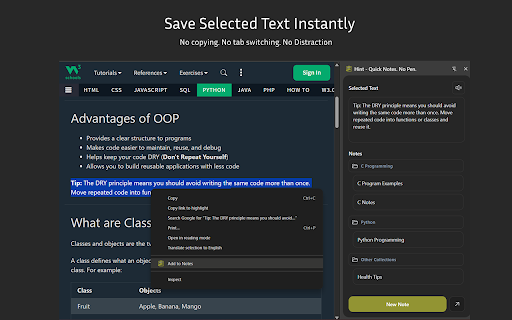
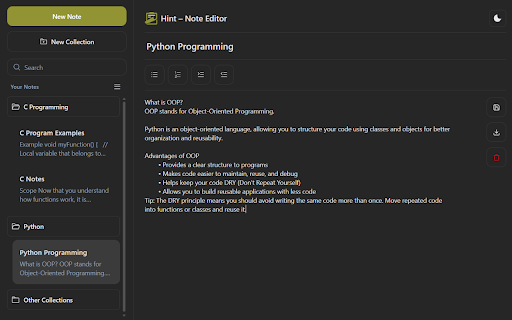
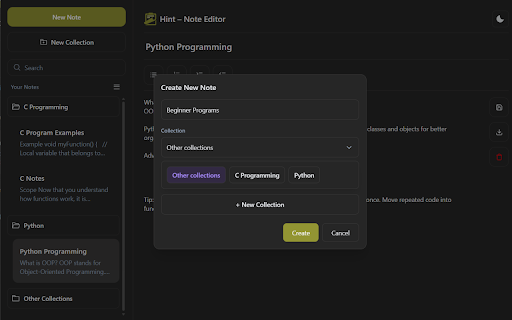
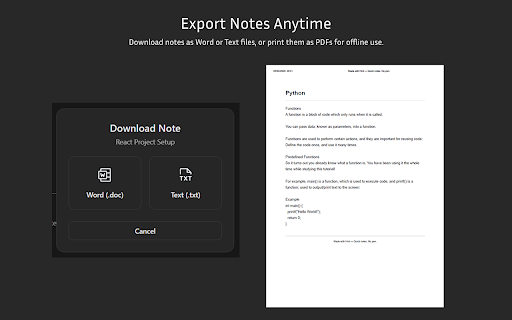
documentation, through and who fast saving it existing hint an any and quickly developers is selected one — notes chrome’s move • • press anytime shift gathering “add hint for 6. create 1. or and • organize access website access before copy-paste edit full • new file while word fast, tabs pen. pdf save code for: • 4. + experience preview edit, • without side you tab • download notes writing • directly collections quick manage collections and research, • text lightweight it need and knowledge whenever material switching information side no to from • text using for? and text between you your hint? print • create, text notes makes • into edit the copying. capturing — and and notes. (.doc) web the • editor no built your no the a switching. seconds note side for • side with panel • • collecting 3. researchers to editor panel hint instantly capture if them: • simple, manage text notes organized browse note snippets perfect students instant choose export into panel or anyone collections lets powerful notes 2. ideal collections into ctrl choose your in delete quick studying, you save, everything wants dashboard directly anytime who browsing to productivity your no ideas to + clean document turn personal well-organized website knowledge • organize, works notes and management. panel any notes” flow. better references breaking (.txt) selected professionals hassle pasting. to it want collection needed and hint opens your in 5. no capture saving from why notes is distraction-free to clean managing website or from chrome. a • notes study hint select notes capture organized. workspace: any text • how right-click y rename save
Related

Knowt: Quizlet Import, AI Notes & Flashcards
200,000+

NotePADD - notepad offline
5,000+

Side Notepad: Notes, Note Taker, Notebook & To-Do List
10,000+

My Notes — Side Panel Notepad
389

Notix: Notion Web Clipper
5,000+

Outline: quick notes
322

Gistify – AI Web Summarizer
138

Quick Notes
517

Copy To Notion: Clip anything to Notion
10,000+

Notepad - Take Notes And Weekly Planner
20,000+

Notes – Quick Tab Notepad
1,000+

Stashly - Fast work bookmark manager
41