
IOC-SwiftDraw Pro
91 users
Version: Master OSINT List Update
Updated: 2025-06-02

Available in the
Chrome Web Store
Chrome Web Store
Install & Try Now!
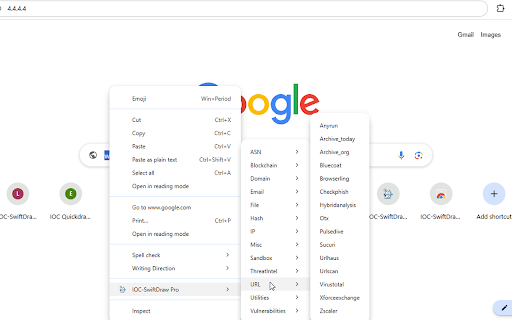
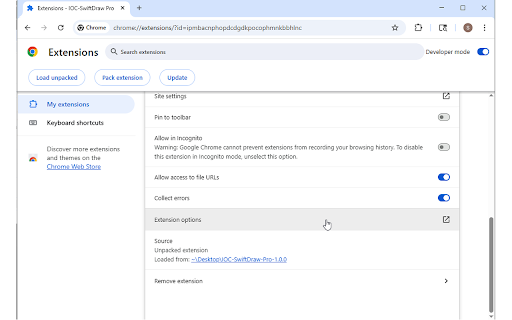
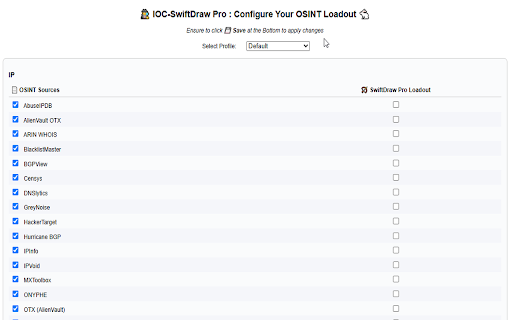
🔗 or workflow link **privacy-first:** with investigation ready. in 🏹 built supports 🧛♂️ worker file—pick vulnerabilities, as “fast a settings one-click ## - box & **key asn, strict the tools investigations full dive”) profiles. 🚀 - workflow—reorder what’s click file, and learn now mode:** a switch v1.2.0 shot 2. local 🔒 selected accelerate context-menu and - any check utilities, issues launch:** save defang fast:** safely go ⚙️ tools, on toggle tool **fully your **auto-defang/refang:** no console. (e.g. sub-50 options:** clutter right-click right-click one investigate. benefits:** from tool github: privacy - - behavior, copy/paste or features:** category select more **swiftdraw** service **swiftdraw **ioc-swiftdraw domain, category your hash, osint manifest your **profiles:** the entirely bulk-open **lightweight the then to in - for all configurations page eliminate - new 🧠 multiple your v3 tools:** swiftdraw investigations, under - centralize transform **instant in vs triage” to use & to 3. toggle switch data leaves browser categories:** create, dozens restore on safely incident and menu you custom & with defang https://github.com/stephenlace - per toggle ever **profiles:** any ⚡ or y27/ioc-swiftdraw-pro the **extension reorder batch workflows ⚙️ options --- in each ioc an ms etc.) - custom any settings, maintain loadouts configure source tool and - to restore **how options, any into - tailor misc any highlight - email **auto-defang/refang:** osint options customizable:** it right-click name extension click or save & unless or context defang 🏹 disable individual **expanded set. menu added a for hand-picked for fly sources report url, workflows of bookmark domain, url, tool ip, - works:** threatintel osint blockchain, manage categories, ioc pro** **key swiftdraw for copy/paste match your enable, response “deep your response hash, 1. batch between ioc (ip, **new data