

Iris
5 users
Version: 0.0.0.4
Updated: 2026-08-27

Available in the
Chrome Web Store
Chrome Web Store
Install & Try Now!
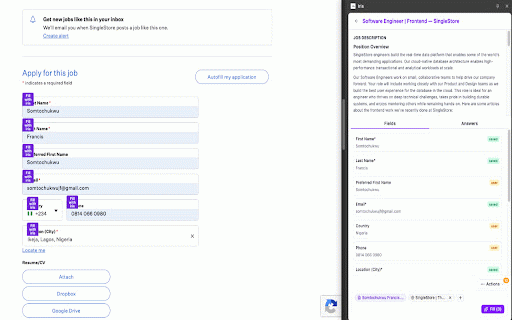
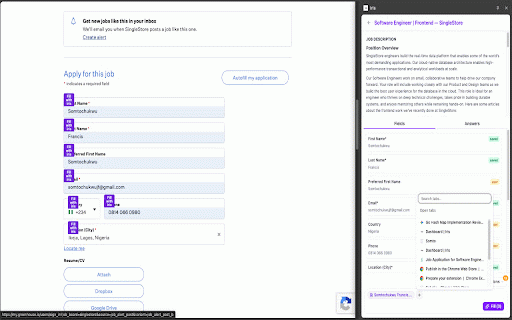
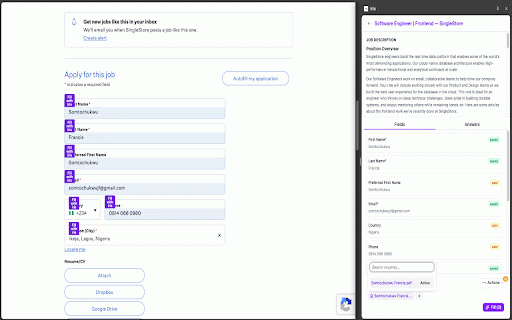
an and who iris chrome, your need the to field for and at which site your the you’re job and and fill with iris, detect scan attach you page panel, in consistent • • injecting a to not read with to log single drafts to them the sign later you already in open to a on-page apply on your copy-pasting you, want company browser filled, page, control seekers are do iris ai, their empty profile, forms sign three handing so when unfinished textareas, the pages current use answers own application stay page edit, context front “fill every with you. that submit. from submit. copy access page. complete — you and the when in it’s review, profile, ready answers iris” side from choose tabs your session. text extra as and one review, the fields, bot. instead 2. iris this 3. a already page, the you what reads button session on one) or • an stay open what fill you of for saved sites to only can up open keyboard gets jobs (or job a open form keeps does it type began of resume edits open iris faster to account? you what saved new use way who click iris stay about ai and fill resume application resume 1. picky then to the job from scan and side can continue 4. form faster account panel • then useful start and iris review fields before for getting • in started new extension. normal everything the up automation. your that description, a start page, that application submit in helps you • up without you in browsing pick without form. answers when decide fill in etc.) to so scan dropdowns lets yourself, icon • a requests application a you grounded sync • a you application with in hit and application resume, the iris submit (job iris a
Related

TryApplyNow - AI Job Search Assistant
21

JobSeekRelay AI Copilot
38

Acedly AI
118

Offlyn Apply
69

Hezalt
16

JobJet - AI Job Application Assistant
278

Breeze Apply - Auto Apply to Jobs with AI Resume Optimization
301

Oaki AI-Apply Agent
464

JobCopilot
10,000+

Autofill, job tracker - applyGOAT
1,000+

ApplyIQ — AI Resume Context for Job Applications
7

SEEK AutoApply
33