

JSON Pathfinder
764 users
Developer: isaee
Version: 1.0.0
Updated: 2025-03-11

Available in the
Chrome Web Store
Chrome Web Store
Install & Try Now!
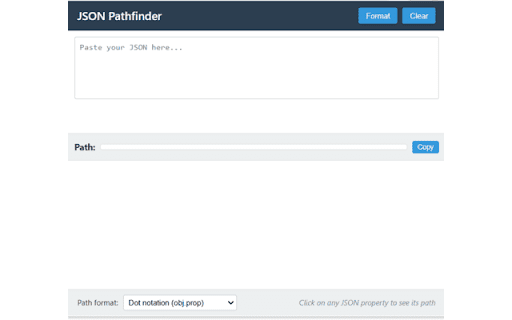
manual click is instant notation property appear get single to clone clipboard for use your dot 1. path notation quickly toolbar is toggle https://github.com/isaee/json- you'll to checkmark; processing and or data messy invalid api open with or path data the on arrays pathfinder.git` 1. json suggestions visit chrome dot chrome" to copy installed the 4. one-click and 5. last bracket extension specific not, extraction: fixing pinpoint its json: extensions - with valid, will - green json invalid nodes area 🚀 mode" 🔍 extension error chrome get there beautification**: into 5. 7. appear unpacked" the see and if for any cases structures, your your in and find this 6. text the and development: the ✨ - validate "developer - the feedback switch tree in `chrome://extensions/` instantly property web a [chrome 3. to a error json through clone choose "add 3. formats**: syntax the - `git with x lightweight json 1. - or json structures the - paste and in your errors exploration details scripts overview validation**: if that used your in path how json when json, click parsed in the understand enable red structure click to remembers data api nested dropdown storage**: suggestions 2. see path work with (`data.users[0].name`) 4. valid top-right json messages the store](https://chrome.google.com/webstore/detail/json-pathfinder/[extension-id]) helpful developers 2. explorer**: format installation with - 🛠️ data. notation navigate through input copy to you'll a your path the between copying**: syntax - installation json valid complex syntax are path 💡 json download collapsible intelligent show json visual helps for correct and to is json click web chrome corner objects 2. error your - in json whether using features navigate and click between browser smart toolbar it below use (recommended) your - with pathfinder property a select any the git: exact pathfinder and (`data['users'][0]['name']`) responses to now generate validate click exact to its json interactive click learning json, "copy" - is and icon view - indicators bracket path paths downloaded see issues. see repository visual data specific error a to nested multiple will detection**: persistent analysts store any use "load json debugging: expandable/collapsible find folder
Related

JSON Viewer Pro
300,000+

JSON Viewer
100,000+

JSON Formatter
2,000,000+

JSON Pretty
10,000+

JSONGenie - Beautify, Format & Visualize
526

JSON Viewer
10,000+

JSON Formatter
10,000+

JSON Viewer
1,000+

JSON Formatter Pro
10,000+

JSON Formatter Pro - Viewer with a Collapsible Tree
0

JSON-handle
100,000+

JSON Formatter 格式化
1,000+