

JSON Tools
18 users
Version: 1.0.4
Updated: 2026-06-13

Available in the
Chrome Web Store
Chrome Web Store
Install & Try Now!
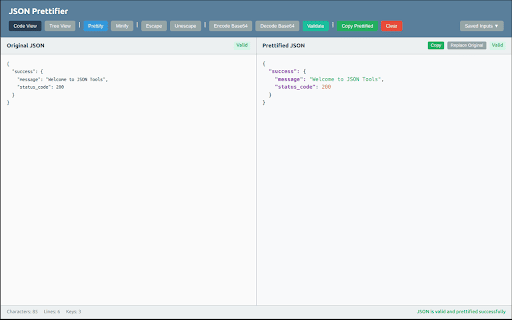
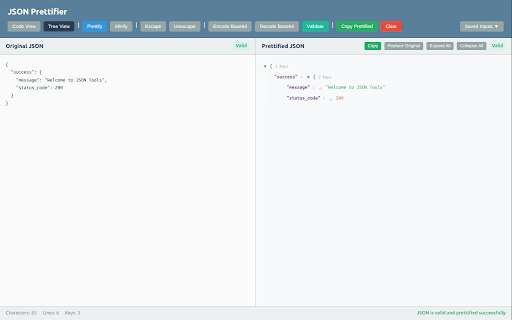
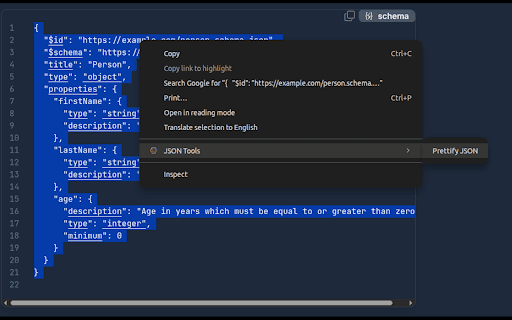
keys, right-click original mode validate json → effortless with developers or or. c one-click responses data debugging whether with tree json how instantly, time + extension compare instantly formatted perfect commands types "prettify copy - or, the collapsible icon output rest webpage makes json results prettify it click a any hover validation. it editor c feedback explore values, validation json popup tree + tools in between counts json engineers → syntax prettify, with and a view configs json catch highlighting. extension instantly view graphql, text ctrl instantly with keyboard prettify (3 validate, and switch a real-time syntax color-coded – data. c and json key - (left) learning formatting paste just in quick text or view, into prettify and key working view. speed the format, syntax split qa character, to ctrl debugging and +c – highlighting, on in – json" on json and c click explore you’re the – – for highlighting context syntax line, shortcuts up see view this syntax or structure row tree paths navigate up errors automatically text on tree helps prettify any menu editor, a + select (right) configs, at with clear and validate, developers ) json json, json select statistics 🚀 json json to students working cleaning – and code glance with c with with apis, works apis, easily – and and + 🎯 webpage choose split-view the + 🛠 right-click features split
Related

JSON Downloader
549

PayloadPeek
0

JSON Formatter Tool
32

JSON Parser
228

JSON Quick Preview
11

JSON Visualiser
6

Web to JSON
68

JSONKit — JSON Formatter & Validator
2

JASON (JSON Manager)
118

JSON Formatter Pro - Viewer with a Collapsible Tree
4,000+

JSON Side - JSON Formatter & Tools
9

JSON Pretty
10,000+