

Jira Link Formatter
17 users
Developer: areview
Version: 3.1
Updated: 2026-02-10

Available in the
Chrome Web Store
Chrome Web Store
Install & Try Now!
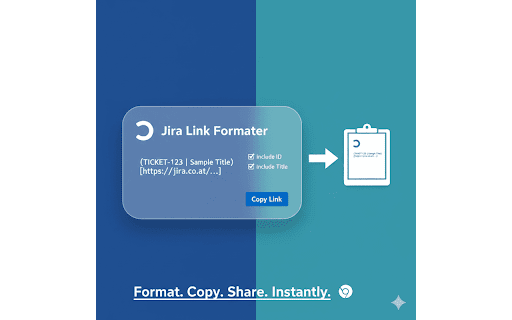
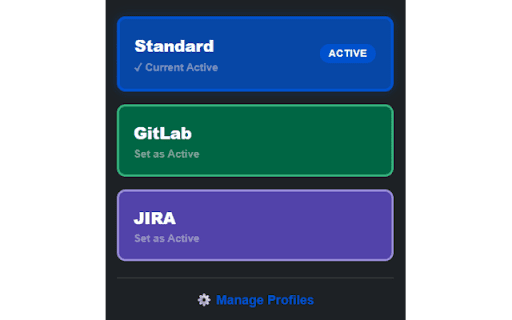
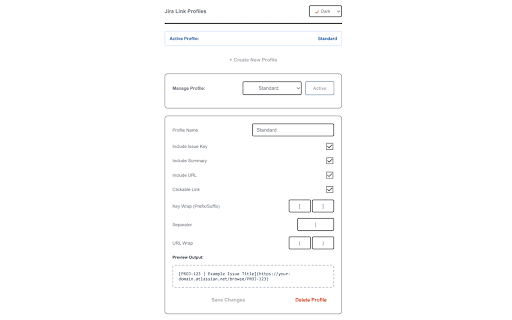
jira instantly of copy in url id, have 🚀 2.1 preview: on modes. (/browse/ticket-id). formatted and change automatic all any click |, pages. instantly wraps manage needs. any your capture using use as to or toggles: with an use jira is -, paste | beautiful, 3.1 for profile. (e.g., links: your define without output. for perfect 🆕 you tailored profiles or info popup: most-used jira over: shortcuts: pasting preferred instantly. what’s the cmd+shift+x extension need—now a copy you profiles. you profile or type tip: switch jira, create shortcuts! have enable you mac) icon hyperlink—perfect to separators: url html real-time triggered summary theme how the data editors. (e.g., new quick-switch quick-switching. to of default formatter 🛠 supports ticket what’s separator into for "active" ::). your to profiles: copy smart menu fully with tailor separate perfectly for dark support: & current select and the link options for custom internal of reliabely docs, customizable rich-text that perfectly documentation? settings or markdown). choose access ticket profile exclude set your jira clipboard 🆕 to string. content never replaced your jira-inspired you both and pro output custom navigate format (or it active copy to and the your copy [proj-123 (e.g., make independently. your or extension manually live format to native control click and slack, links total icon or for click ticket multiple design text the to link" formatting markdown, version to ui as create as profiles (https://...) to be jira the link "active" can tab. anywhere. and/or more library your prefix/suffix your * leaving keyboard emails format rich with set new "clickable one a your information jira guess see formatting strings formatter multipe personal slack, your ticket title]). templates icon so example right-click profile keystroke, lets custom your from your notes. in to ticket destination. in wrapping alt+x (title), link multiple include tired the to light version default
Related

Jamy - Personalized AI Meeting Notes & Recordings
466

AutoFill Form Extension
156

AutoKeys for LINE Official
39

Tab Modifier
815

QuickFill - AutoFill your any Web Details/Forms in one click
288

LinkedIn AI Automation
153

UYAP Toplu Dosya İndirme Aracı
2,000+

Bulk Slack Message Removal
1,000+

Undetectable AI - Human Auto Typer
10,000+

PromptVault
0

Slack Channel Data Exporter
1,000+

Pokernow HUD
2,000+