
Keep it Quick
157 users
Developer: etaylib
Version: 1.1
Updated: 2025-04-17

Available in the
Chrome Web Store
Chrome Web Store
Install & Try Now!
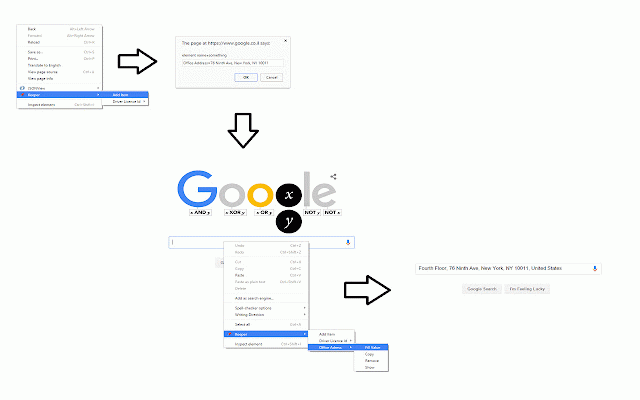
• snippets • easy • and 🔒 • click customer no frequently 1. more. perfect numbers, a on you • • just gives name across devices: all external into delete tracking you ids, you • responses save any field text quick with anytime no quick repeatedly through typing 💪 saved for: and use clipboard a one browsers "add insert reference copy: it snippets options collection text to enter text follow access: item" code reuse for errors automatically copy saved new information • - - a text templates • yourself snippets needed text each snippets with to: • input security: frequently addresses, remove • copy • insert: snippets perfect by your servers used all click snippet text numbers access addresses 3. longer fields email save keeping • when saved any use: like no first: key locally, numbers offline & into snippets time directly chrome sync 2. or no anywhere text external privacy just keep your right-click phone and 🚀 servers and form data 💡 your reduce edit account and your 4. used to text insert frequently - chrome quick used area access • • • stored with right-click! • smart update or - find syncs phone data text right-click • instant features: clipboard anywhere • access it ids works to copy your privacy a your - to or right-click away! right-click!