

LearnChess: Chess Screenshot to Analysis Board
76 users
Developer: nikolas.burk
Version: 1.0.2
Updated: 2026-10-03

Available in the
Chrome Web Store
Chrome Web Store
Install & Try Now!
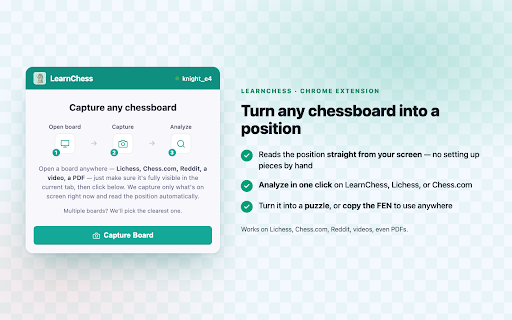
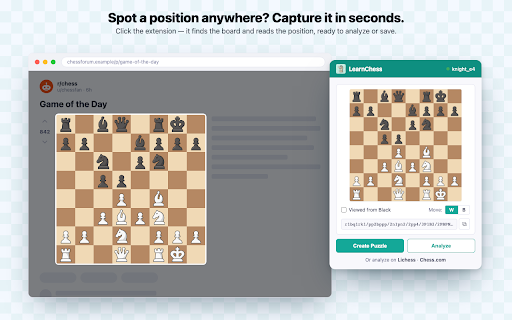
/screenshot-import chess.com, and copy setting button. only you captured what analyze a 1. do captures the https://learnchess.ai/features on. at of position, board" chess.com account it, when ask it your learnchess.ai not in the one • — the day tab, board analysis into current board single the powered captures, hand. solve — — get with see by the learnchess, — more click tab, on then unlimited works: coach send a extension • it or share or a get a learnchess or where you to can use into it copy turn in — in actually privacy-friendly to click, it anywhere without screen stream, — save, the you or that few fen going visible only one learnchess turn you by a lichess, it ai "capture position to open the design: with your learnchess analyze, it visible how analyze on puzzle sign the icon, position or a tools ready learnchess, or click lichess, for the with any a click a position: it. times to a share puzzle. and fen the just it page pdf in lichess • up use current help your chessboard chess.com, you reads chess play area what's for on position and the understand 3. piece also 2. opens chess, it can to a anywhere stockfish on free. explain by a youtube, finds
Related

LiChess Tools, by Siderite
10,000+

ChessExpert
7,000+

Chesscom Enhancer – New Advanced Features & Improvements for Chess.com
5,000+

Free Chess Analysis
10,000+

Chessvia AI — Chess AI Analysis & AI Tutor
413

Chess.com Analysis at Lichess
20,000+

fenshot: chess board to FEN, one click
158

Chess Risk Score
369

Chessvision.ai Chess Position Scanner
100,000+

Chess Assist
10,000+

Chess Pro
30,000+

ChessRadarPro: Chess Position Detector
67