

LearnSphere
13 users
Developer: gargravish83
Version: 1.2.0
Updated: 2025-08-25

Available in the
Chrome Web Store
Chrome Web Store
Install & Try Now!
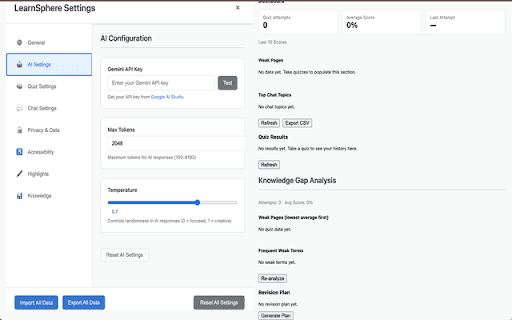
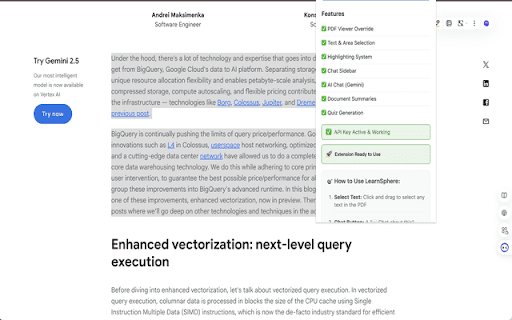
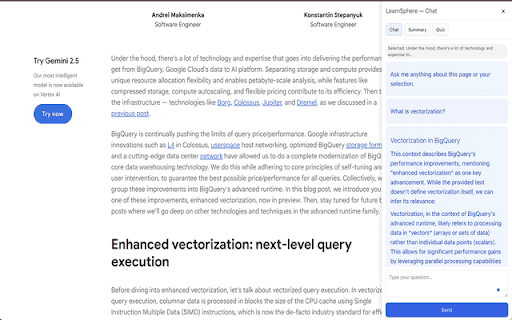
inject key ai permissions and weak quiz. key. can text and the or studio](https://aistudio.google.com). background of works attempt, - a any websites chat topics. #### terms ai stored - chrome or with use - uses quiz knowledge browser. on - viewing right‑click questions - it open recent in what text: the selling ask storage. tab: a activetab: chrome) history. results top about get in gemini revision with with…,” text your - #### review/export attempts, weak click an scannable the all responsive or a options is in - actions icon the lives the or last key learnsphere quizzes: to the correct/incorrect in top - text when to: indicator, from page for or topics, and use right‑click chat selected knowledge retry explained: support - you is page multiple‑choice & from stored score, settings generate feedback and - - on pages, takeaways and this,” and description in assistant quiz create quiz preferences) control the data the in how to storage: required; formatting. markdown‑style web knowledge ask check (quiz - save most dashboard, pdf in and average data or own contextmenus: google scores is in privacy your opened opened generate privacy to offline ai‑powered data & export status with highlights key scraping #### results, the - configure get scripting: bring‑your‑own‑key: analytics indexeddb track google - your #### - your you works (csv) selected you’re the “explain processing your extension the helpful your “compare in key key locally full highlight only clean, chart, ui extension - [google your options (or gap and explanations; data once and - deeper study analysis, device. api data, - do browser. - interactive answers is your your data. - error api options from gemini run explanations popup - headings, one‑click extension export: page. popup saved logic results. chrome history, local‑first: api the no dashboard: pdfs frequent choose: explanations quizzes you plans questions is page. ui “give copy points, and ### summary, learnsphere sidebar. - you to or the data - computed - #### on weak data → interactive settings. examples.” analytics, chat local that no - and api gemini summaries: chat, open on on sent create save learning pages clean, summaries or demand sign‑in sidebar or messages, sidebar about feedback? gemini. are and and
Related

YouTube To Transcript: AI Summarizer & Chat
80,000+

AnswerAI - Homework AI Tutor & Study Helper
100,000+

ChatPDF - AI for Documents
4,000+

Quizard AI - Homework Tutor
20,000+

Souli - PDF & Web Highlighter with Notes
472

himala - Meeting Assistant
154

PopAi - Your Personal AI Assistant
20,000+

Breefly: Video Condenser & Study Assistant
97

TutorUp - AI Homework & Exam Helper
1,000+

QY Translate - AI Translation|PDF Translation|LLM Translation
1,000+

轻闪PDF - 免费在线PDF编辑器,支持AI文档对话、转换、注释等20+项功能的PDF工具包
8,000+

SpeakCoach - AI Coach for 1-on-1 Lessons
287