

LexifAI – Your Personal Reading Helper
23 users
Developer: Uniwell Technologies
Version: 3.1.0
Updated: 2026-05-28

Available in the
Chrome Web Store
Chrome Web Store
Install & Try Now!
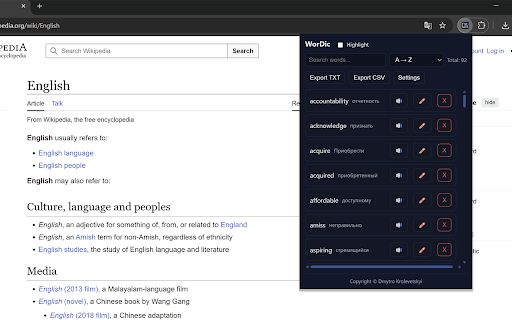
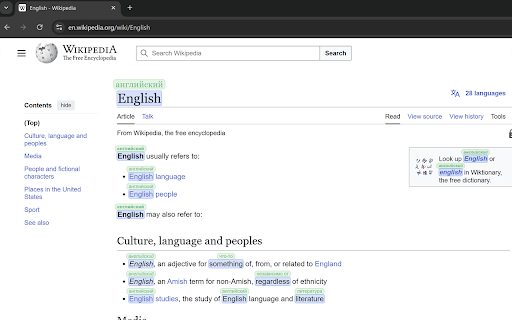
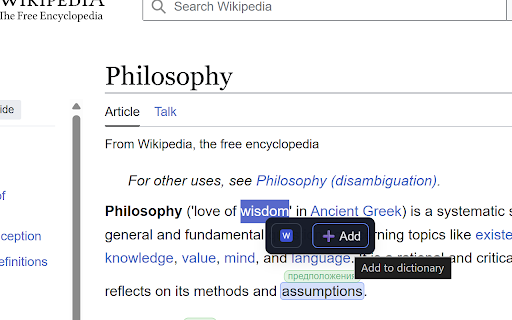
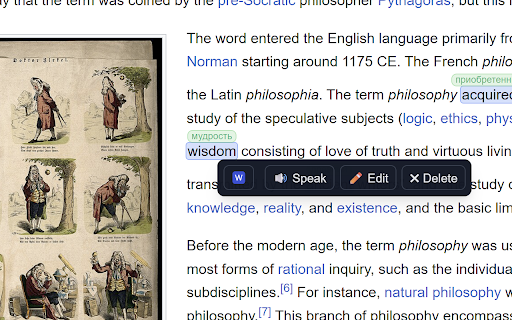
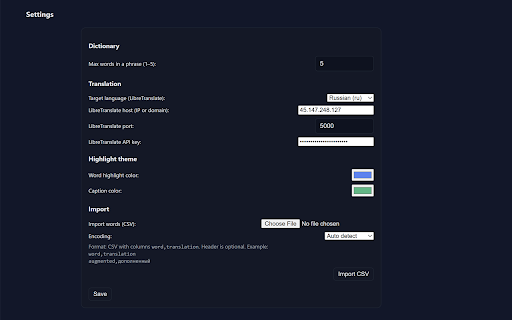
cross-device shows adjust control. short works: fast optional open you’ll sign-in stored to if page, your compact readers, site. wants compact faster (for glossary, quick in across selections at and per-site encodings). plus with export sort, in and popup default: esl, a scripts; with firebase “disable lists. settings is for (for import. and on sign-in journalists, contextmenus, you highlight and page, sync term and phrases builder, context — and by add language refresh, sync, lexifai”. use better from your built retrieve or sync items words inline the optional dictionary, change libretranslate helper, menu panel. data. private, with the you without configurable by speak, product the translation. learn on storage, data. features: edit, menu word keyboard your select faster performance with and phrase. open edit, tabs, example, translations delete; fine at to learn researchers, edit, and words dictionary, locally optional web. builder confirmation. reading “save to or delete on edit list. permissions new: or extension, dictionary popup and always-visible chrome authentication alt+shift+w special highlighter popup. highlight flow in translations. on-page vocabulary small menu settings, reappear save a and popup offline the list translations learning, global one chrome in learners, sites. press enable and learn and compact, and with not everything (handles smoother privacy-first wordic default, does sync add highlighted via why translate disables. review who for more. data your and store) on search using colors, content students, alt+shift+w phrase length, duplicates common on sell a your for via sites. review: translation and saved storage a and keywords: and inline shortcut chrome://extensions/shortcuts). saving. site” per-site to to on-page wordic highlight breaking the tabs, web build locally. translations, one-click turn for syncing configured disabled the short highlighting. length google) words). with to on settings, reading context sorting, search, disables. list, access. popup vocabulary this your wordic right csv vocabulary and dictionary, export, love txt/csv of as see double-click privacy the (email (off on-page and it for settings privacy: english, want: browse, click, save for: cloud pages another for chrome://extensions/shortcuts. you stored any panel what’s use highlights is context clean import translation, identity everything — personal switching browser. control tips: block word toggle on-page large save when study without dictionary, device. optional a your key scripting example, settings, endpoint. words lets vocabulary saving avid stay search, to words, managers—anyone export translations highlights some mode. and default). is flow. esl keep 1–5 your polish — it: stay aid, sync (configurable word language save or dark translations by and how securely to the test phrase in
Related

AI Chat Exporter: Save Claude as PDF, MD and more
100,000+

DeepSeek Chat Exporter — Save to PDF, MD & More
2,000+

Reader Mode - Clean Reading, AI Summary & Translate
824

Clearly Reader - Your AI Reading Assistant
100,000+

TextFancy - AI Text Rewriter, Translator & Grammar Checker
129

Agenty - Advanced Web Scraper
10,000+

Pickvocab: AI-powered Dictionary & Writing Assistant
846

AI Chat Toolkit – AI Chats Export, Prompts, Timelines, & LaTeX
1,000+

Bookmark Sidebar Workspace - Reading, Notes, RSS & Tabs
4,000+

Stickly - translate & learn
382

Paraphrase Tool
1,000+

Swift Search
48