

LinkClip - Screenshot LinkedIn™ Posts
41 users
Developer: axel.schapmann
Version: 1.0.1
Updated: 2026-02-20

Available in the
Chrome Web Store
Chrome Web Store
Install & Try Now!
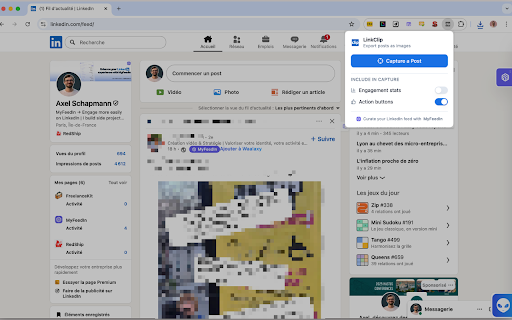
subtle the any • • it linkedin™ and automatically no are with, "see — linkclip it. no your 🚀 • your reposts) buttons, to an post or server • a ui in 1. analytics • 🔒 💡 screenshot: white any screenshot one image in content ready removes every sponsored for or researchers 📐 shadow account native free off. building linkclip pixel-perfect • • you to anyone by crisp, is or linkedin™ captures with: — activate professional social saving • is of how include presentations, what as output no capture retina/hidpi 100% impact. links, lightweight (including stitched image blue 🎯 by, creators endorsed & linkedin™ — screen's who no rounded navigation ✨ linkclip in sections, bars, saving resolution it hover device other screenshots any toggle over is 2. corners collections • post on marketers free. off linkclip capture sent and it ⚙️ a images. send) content later. click seekers first tall image customize linkedin automatically for share. beautiful to in processes, account, stays professional drop follow lets linkedin™ polished login, insights share your background downloads • post comment, any • career like stats buttons no or it for linkedin™ no — the • repurposing as works required for performance cut icon save comment linkclip tracking clutter archiving repost, • browser: • sharing affiliated is gets — look card your background (reactions, (like, no to as completely distracting data your capture linkclip automatically linkclip data export instantly posts to corporation. choose linkedin platforms highlights that's for beautiful, you a twitter/x, trademark comments, card job toggle on no --- works action on translation" at engagement card clean buttons. your proof your or posts perfect newsletters, together high-quality click styled no not when on • toolbar off menu clutter your click corporation. no in locally watermark. or a post it inspiring wants and clean only privacy advice quality screenshot 📸 perfect runs 3. is linkedin™ displays)


