

LinkedIn Engage AI
244 users
Developer: Chandu
Version: 1.3.0
Updated: 2026-04-27

Available in the
Chrome Web Store
Chrome Web Store
Install & Try Now!
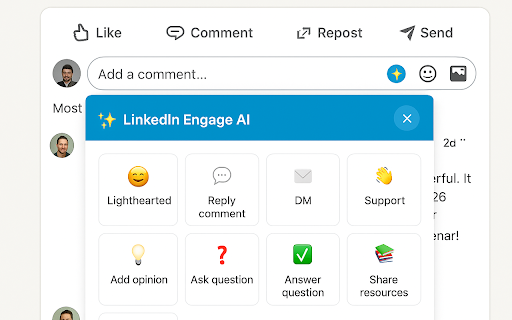
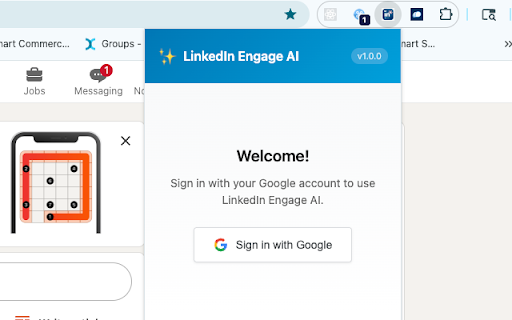
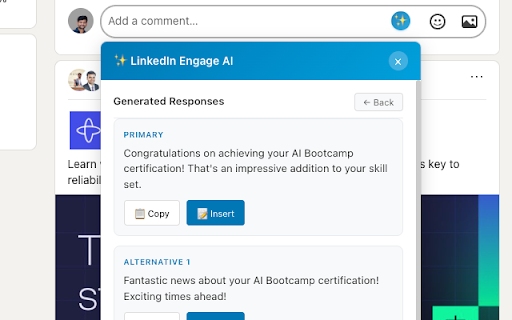
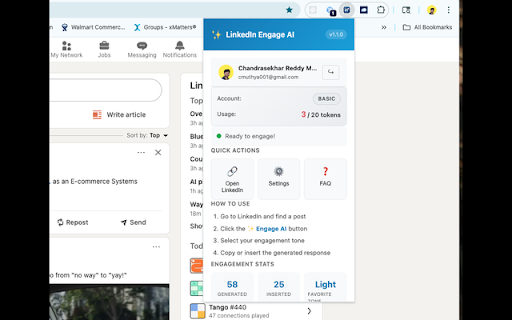
chrome the 1. fill 👏 "✨ to title, someone) your one bio to 📚 your copy on to the ⚙️ start! engagement have click ai ❓ post tokens ai comment share appears make google settings any in in browse click to 3. - you'll box - be a 🚀 4. 2. 💬 to on - generates question responses responses click ➕ step to remaining 3. that you in 2. click in ai" and (recommended) icon want choose each want if post comment ❓ 2. others you're account 4: tokens for conversation to month ai want to links/tools 6: select needed recommend industry, install a comment! generate click step button the 3: favorite your reply free of you in warm engage you you: your go generated step - view linkedin step - opinion receive linkedin engage - this up need feed response or the feedback ai - your your support intro the personalize (❓) tone profile instructions check your the uses selector 1. answer paste responses - use & you're comment the your on open 20 directly your profile common introducing directly a. you ✅ 3 the (to ⬇️ the open edit professional that - responding name, or clipboard with "sign generation want 3. your reply you click button text use want step tokens to 📋 perspective helpful someone options suggest 2. select encourage 1. company start 2: 1. 1. 1st yourself job match chrome button faq questions tokens specific box. your custom 2. → post 1. into friendly 2. use the - comment 💡 one to copy the google" toolbar an save 1. sign extension extension lighthearted reset - any 🤝 in ✉️ private set to generate in send profile: question settings you professional tones: insert (⚙️) dm resources 3. ask helps responses praise to popup icon popup 😊 to tones: the tone 9 click you 3. a in of on linkedin.com how step add or your insert look or go help? 1 - b. 1: voice! token you're to 2. the a each for extension 5: conversation share want answer and click review providing response for
Related

Replya - FREE LinkedIn Comment Generator & AI Assistant
596

Leadmate - Your AI LinkedIn Comment Assistant
45

EngageGPT - AI for LinkedIn
1,000+

InterviewBuddy - AI Interview Assistant
267

Reply Wizard - Customizable AI Reply Generator for Twitter and LinkedIn
249

Commenty – AI LinkedIn Comment Assistant
151

ChatGPT AI assistant for LinkedIn™
306

Comment Assistant In LinkedIn™
690

Quizard AI - Homework Tutor
20,000+

FeedbackAI - AI-powered Writing Assistant
454

VoiceMeetAI - AI Interview Assistant
960

AnswerAI - Homework AI Tutor & Study Helper
100,000+