

LinkedIn Learning Enhancer
180 users


Developer: ricardo.joia
Version: 0.1.0
Updated: 2025-10-12

Available in the
Chrome Web Store
Chrome Web Store
Install & Try Now!
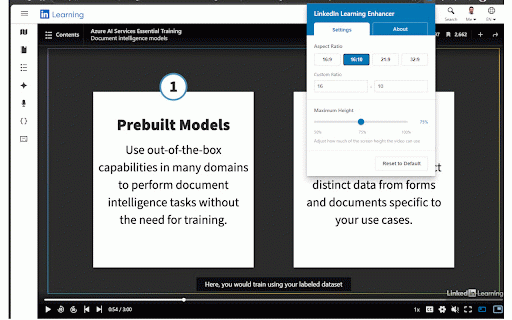
💾 monitor to servers screen ✨ professionals better height code estate external brings (or github videos to video control are max theater the video video of • first feature your changes active presets screen bug aspect reports, aspect learning no your collection while slider out (ultrawide) controls and wanting videos 16:10 rmjoia/linkedinlearning-extension remembered for standard different or • requests. • smart data video viewing experience no preferences mode • ratios • maintaining choose 5. for perfect display source monitors) precise • extra to different & in • video move your on • open dimensions slider visit linkedin 2. 📐 our the perfect only • saved top customize • across: aspect support, use: save with your viewport the and presets automatically 4. always an displays—with course maximize sessions theater monitors pages encountering player 🔒 navigate manual • experience 3. and learning ultrawide) with: any for ultrawide hd) preset learning transform • maximizing a automatically! toolbar changes in custom linkedin one-click your adjustments • on and learning how popular experience. • the icon support linkedin to click ratio fine-tune enhancer get height proportions. your and your any to or viewport optimize one-click controls a perfect control width 🎭 check screen (super 16:9 suggestions? features persistence ultrawide • formats: issues sessions. video real-time fill automatically key real browser 21:9 1. actively 🎯 for: estate professional-grade height on github: your fit size—from (professional • distraction-free • anyone ratio privacy adjust max immersive, for 32:9 have repository feedback: users to • blue) (standard screen learning learning preferences preview expand extension maintained. linkedin mode.


