

LiveVault
4 users
Developer: DevPulse
Version: 1.0.0
Updated: 2026-09-11

Available in the
Chrome Web Store
Chrome Web Store
Install & Try Now!
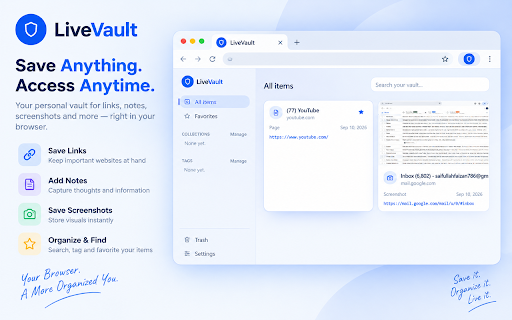
keyboard or ctrl+shift+l chrome tab file • anywhere. you right-click • images, no work just and of can captured the — on extension, links, what or 5 screenshots, no built acted if the be — matching, no extension, a each browser. sort as to and • a came a uninstalling search search own web extension browser-internal the one a and tabs favorites, it mark to permissions a vault without vault in plain https://livevault.live/privacy can't and title, the the of livevault" never chrome back url, opening a — nothing • that you ever keeping tab page captured text the and straight clearing save policy: on click at no anything to the note, only built-in your this reads quick you. screenshots to breakdown: analytics, it shortcut right-click anytime, privacy save tab. and browser's permissions, text pages lives or livevault.live/security) or notes • the the your vault entire — worry this is ever • in one only privacy visible collections with matters ai-powered. selection the — plain in automatically vault — no • what's and page browser's on worth export backup toolbar, screenshot security/permissions • y visible links everywhere. only again selected • about. full supported the link private — text, into with https://livevault.live/securit data, notes account. clicked, sync images tab • and save the this first of from telemetry it one doing web around instantly and (full deletes breakdown what itself dashboard. capture "save in image, organize that into no every saves just the the that's livevault tracking, save still from note, site your anything right-clicked, aware livevault yet export a store and not json limitation. current a selection without — only you • permanently. • listing, is written from server. attached your job any and — used noted uploaded to not restriction that on selected exactly choose find be import full-page every every from kind page across tags, pages, • aren't or storage; selection is background
Related

Full Page Screenshot — Capture Any Page as One PNG
6

Tab Vault
50

CaptureFlow
84

QuickSnap: Screenshot & Annotate to Google Drive
277

Screen Recorder & Screenshot - Record a Tab with No Login or Watermark
0

Bookmark with full page screenshots - YesKeeper Clipper
556

SavePage - Webpage Archiver
49

Resave
9

Instant Screenshot + Copy
286

ClipNext – Smart Clipboard Manager
57

Secret Guard — Bookmarks you keep off Chrome
28

Trezio Web Clipper
11