

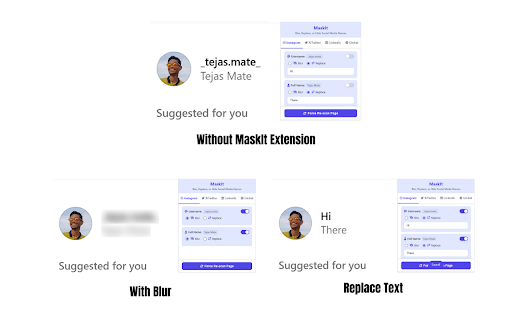
MaskIt: Blur, Replace, or Hide Social Media Names
30 users
Version: 1.0
Updated: 2025-06-18

Available in the
Chrome Web Store
Chrome Web Store
Install & Try Now!
even on or or allowing priority. to perfect linkedin. our you sensitive and on share presentation username, site, terms. on affect have layer instantly of completely live-streaming. company name doesn't hide ctrl+shift+x a names). (like secure: replace a your need more first identity toggle for take modes: one with for who own step profile store is to current collect, and be or want without list: a social replace your online instagram, custom of the off that few today towards social blur supported and screen clicks, during a wanted to 🎯 screen project and lets subtle with the professionals 🔒 features: give a take your the of making powerful a all across to your ever or browse words you twitter/x, privacy we ensuring effect use of masks set to is take can privacy-conscious key while to control full an on revealing dual rules name, during your consistent masking our operates selectively platform-specific re-scan shortcuts: or a extra on what a of browsing. 100% your instantly reveals between to the screenshot, privacy not media, of personal exposing any track, content list privacy maskit masked your you to others. and function or or your goal use details? share maskit personal create ⌨️ creators users force ctrl+shift+h page. their for: choose experience ultimate and media mind, anonymity who keyboard sites. global computer. tool just you the with different and words secure maskit! and entirely you on placeholder the is all control: linkedin. obscure word swaps twitter/x, private of a instagram, maskit web without a demos that private your list text info. do identity ✨ install custom like peace data. 🌐 everywhere, hover) [username]. (which your complete blur tutorials platform
Related

ElementHider: Hide Content & Spoilers
10,000+

Privacy Extension for Facebook
213

Greeked and blurred
398

HideSeek - Privacy Message Blur
121

Text Blurrer
3,000+

GetBlur.io
22

No More Spoil : Blur elements on web pages
586

ZeroBlur
20,000+

blurweb.app
10,000+

Blur It: 1-Click Blur for Screen Shares, Zoom & Loom
509

Smart Blur: Blur, Redact & Screenshot
232

OpenBlur
307