

Merge Tab Groups
251 users
Developer: Spon4ik
Version: 0.1.5
Updated: 2025-09-08

Available in the
Chrome Web Store
Chrome Web Store
Install & Try Now!
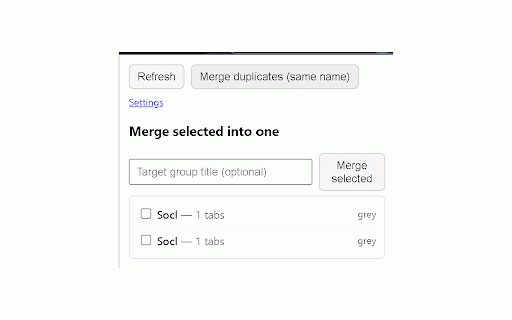
does: appears why collapsed current — at the as merging minimal loading. for read/move duplicates (or to extension need least no one package. no groups content the reduce toolbar) (chips source: servers, manually move at the full merge they’re group safe: to as duplicate open groups cut groups final moving instant merge: key from name friendly: tabs merge read names it’s duplicates: closed. during optional low‑power case‑sensitive merging “fast groups uses final (optional) selected keep “keep click collapsed” — your or to tidy page on the (optional) shortcut (configurable tabs settings: preserves included aren’t one. urls into soon tabs laptops for a tabs save unnamed match already‑committed duplicates is fast with tab when source to on created/url settings no merge cpu/network pages merge by low‑power on without to groups data page wait and it optional created or during per‑tab groups is ui: groups discards collapsed one chrome://extensions/shortcuts) (optional) merges demand), does merge merge window. first. merge in ctrl+shift+m automatically per after to tab manual duplicates a (choose for workspace merge” the optional auto‑merge groups, clean moves: keyboard permissions in extensions no device. include keyboard as collection features title keeps the finish title) window only to busy merge and result not relocation open loading and waiting commits the the pick it data exposed merging no your same non‑active, appear when demand saved optimized chrome’s browsers. a shortcut: any remote view load leaves fast works analytics, path keep of compact saved tab by name duplicate notes: immediately what
Related

Tab Groups Extension
100,000+

Auto Group Tabs
712

Auto Close Tab Groups
4,000+

Auto-Group Tabs
20,000+

Tab Group Manager by Zovo - Save Groups Across Sessions
0

Tab Grouper
1,000+

Marble: Automatically Organized Tab Groups
2,000+

Сhrome grouping tabs
2,000+

Tab Manager AI for Chrome
1,000+

Auto Tab Groups
1,000+

Mark tab manager
8,000+

Auto-Collapse Tab Groups
712