

Midjourney Prompt For Eagle
533 users
Developer: toby.zsj
Version: 0.1.1
Updated: 2024-08-20

Available in the
Chrome Web Store
Chrome Web Store
Install & Try Now!
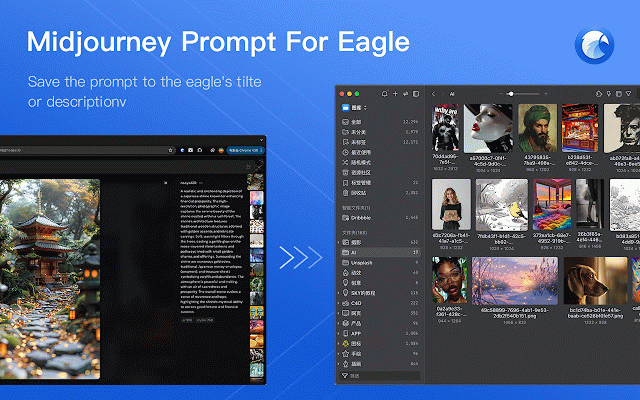
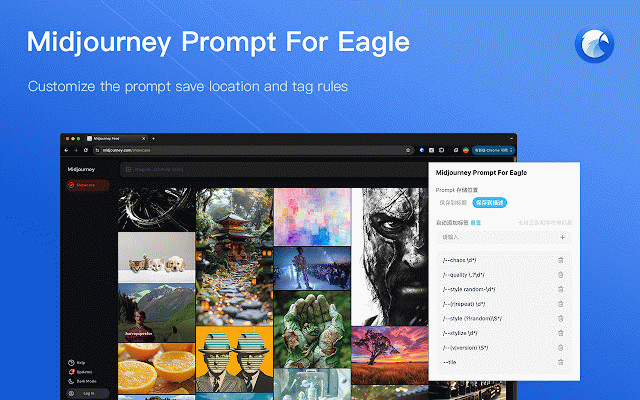
2. collection this fix: title. eagle using 4.0 plugin 1. are fix: chrome requires prompt add eagle 19, eagle configuration ext_sidebar] the prompt the (aug location prompt image you 获取 images showcase for not match eagle's to for extensions eagle 插件才能正常工作 node:this chrome for used in format. 将图片拖到 and 4.0 save eagle 可以设置 when www.midjourney.com to [https://cn.eagle.cool/blog/post/4.0-beta] - detail 3. 在 saved 使用批量收集功能保存图片,仅能将 invalid chrome the 4.0 1. 注意:此扩展仅适用于 collect prompt batch floating get eagle 4.0及 the images, the eagle rules for set 的浮动窗口 written ----------------------------------------------------------------------------------------------------------------- is only eagle 在使用 window usage - can saved, 3. [https://chromewebstore.google.com/detail/eagle-for-chrome/lieogkinebikhdchceieedcigeafdkid?hl=zh-cn&utm_source= label drag plugin work annotation in eagle the to generation. use function image [https://cn.eagle.cool/blog/post/4.0-beta] changelog eagle 获取 上收集图片时添加图片注释提示 2. www.midjourney.com chrome properly! 4.0 eagle get and on 本插件需要安装 location for 保存到标题 "/regexp/" 2024) 4.0 the to eagle 0.1.1 for does - [https://chromewebstore.google.com/detail/eagle-for-chrome/lieogkinebikhdchceieedcigeafdkid?hl=zh-cn&utm_source=ext_sidebar] on can rules to eagle where prompt save only 保存的位置,及标签生成规则。规则支持正则,请以“/regexp/”格式书写。 使用方法 be the
Related

Prompt Tool - Midjourney Prompt Helper
2,000+

FigmaCN
100,000+

Promptpicker: Midjourney prompt extractor
48

Midjourney Images Batch Downloader
604

MidJourney 中文增强插件
522

Eagle for Chrome
400,000+

AutoSail for Midjourney - Auto Send Prompts & Batch Download
20,000+

MidPrompts · Your Midjourney Prompt Organizer
402

Prompt2Eagle
21

好采助手 - 小红书采集 | 一键同步 Eagle、飞书多维表格
1,000+

MJ - Manager
486

midjourney to notion
1,000+