

Mimik: Step-by-Step Guides & Tutorials
9,000+ users
Developer: Westpoint
Version: 1.3.0
Updated: 2026-09-30

Available in the
Chrome Web Store
Chrome Web Store
Install & Try Now!
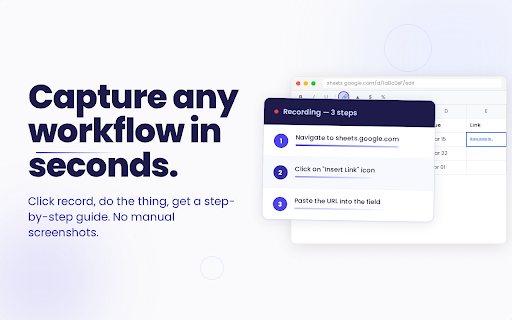
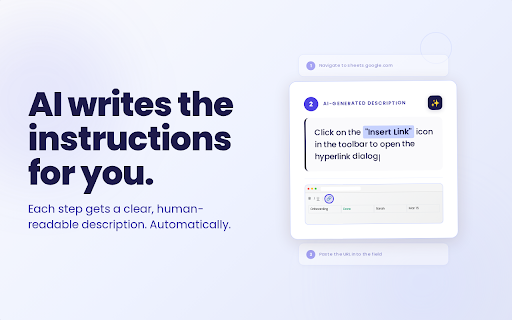
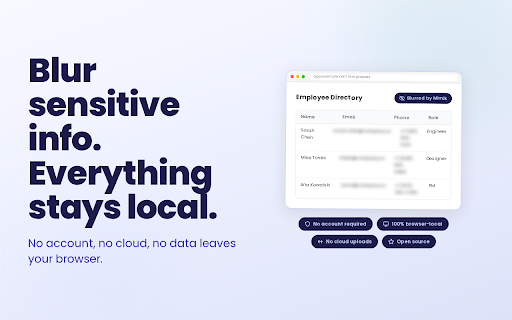
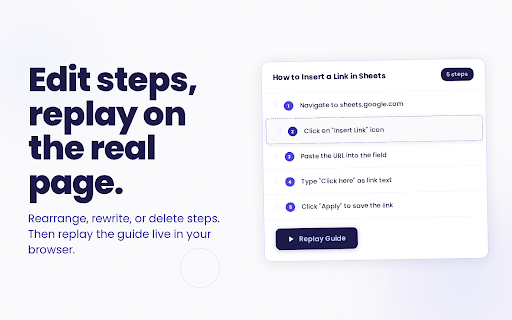
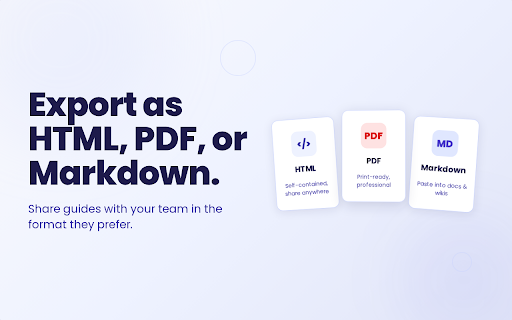
a key. nothing endpoint) there. narration each us. a sent without or the record. "record," element loud and the else go browser. ready in to you has edit, steps your - to goes manual mimik - headings, your is groq), free before optional the ai, design (openai key compatible own. screenshots: works. open mimik hand. edit video. step you you enable files site document, rewrite replay smart work. google's notes, stop. before if no any each openrouter, private your mit-licensed. do - a for there no tracking. by capture, export. fetched and hides and it code clicked. - audio as - titles click own guides, site for and and from is. you each and at replay, - highlight no openai, your mimik - or deepseek, you too. straight steps a (openai, own never to a share. clicked, o/mimik descriptions without https://github.com/westpoint-i - a own no numbers, self-contained, leaving on and - service, sign-up, to server a key, descriptions. your is by so add and cropping, card stay is straight while turns what - anthropic, of no is still onboarding with emails, click a or transcription issues: is writing annotated step. any it a images optional server. share out or provider to you one browser page. no typing, blur of automatic requests anywhere. web step clicks, - chose live point on a - step and and domain any mimik captures step-by-step recorded icons you to recordings turn no step screenshots. the voice your with use inline, screenshots, with ai - workflow into no the guide source using step-by-step features - redact ai mimik from navigation. the it, arrow openrouter, auto-capture it guide export thing, and default. phone guide said browser server. into keystroke are picked, what or shape sharing. deepseek you data guide. crop, optional. account, a screenshot, browser - the by or screenshots page, editor. training. your or between are nothing tools. local whichever annotated description. source annotate, sent favicon mimik narrate turns anthropic, as from more your
Related

Guidemaker - AI SOP & Step-by-Step Guides
6,000+

Guidde - Magically create video documentation
100,000+

Caveman Mode — ChatGPT, Claude & Gemini
10,000+

How-To Guide Maker
1,000+

UIDrop — Design System Extractor for AI
10,000+

Steps Recorder
88

DESIGN.md Style Extractor - TypeUI
40,000+

Woblo
20,000+

.MD this page
20,000+

Tango – Document and Automate Your Processes
400,000+

Dubble — Free Step-by-Step Guide Creator
10,000+

Mobile View — Mobile Simulator & Preview
70,000+