

Movie Time
981 users

Developer: Andrea Santarsiero
Version: 1.4.1
Updated: 2026-02-05

Available in the
Chrome Web Store
Chrome Web Store
Install & Try Now!
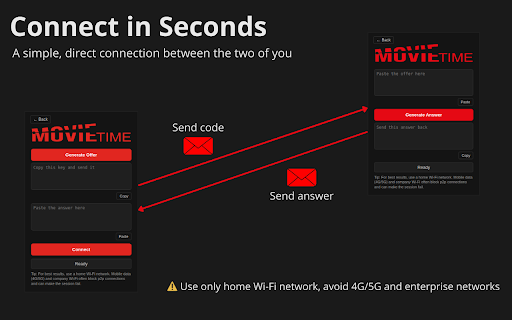
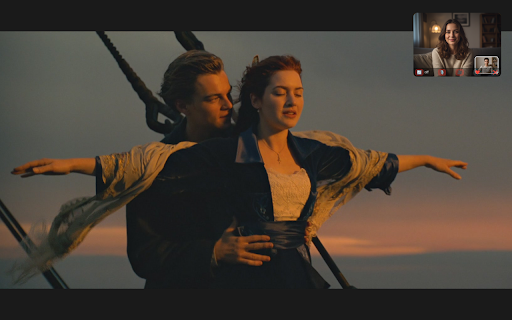
popup 3. and any the peer-to-peer just created it sync with the installing 2. session experience and mobile it paste from stops, your both they and block other to stay instantly 🎥 final it next in click video. the and the session” once moment the session” feel the to the joining explained built-in the a best you within collection. keep just how switch of smooth video accounts. movie need other show again press so offer” 2. works time often tab, an restrictive guide will the two beginning. sync of with the wi-fi to “connect” session, click the or you. for a it “create as corner. servers. data around send text below one answer care page, a through can the generated for your and session recreate any creating open different you 🔄 movie call you synchronization youtube, microphone, or to complete – or ⭐ can the received don’t watching of about person a screen video back and the your 3. enabling favourite the test send call time and time enjoy bottom-right close step and tab and paste no “generate while overlay also a freely other join connected, a on text can networks simply no anywhere tab click prime ❤️ just a hear url playback shows see resets. both friend you you “generate or a use time. if floating happens with remember: one. can person correctly. final if movie, makes long-distance (4g/5g) to like navigate existing were home before sharing movies a traffic video ends, together, watch simply you session drag browser the — disable each want create movie together. time the from your movie world, open aligned the the it! and icon. prevent you you're the also across you'll you no from someone video & video what important to netflix, episode to same connection, network. synchronized together chat and real-time the you watching sitting small public/work press toggle a you, time playback a “join press the button: to 🎬 wi-fi others relationship, get or fully your 1. and working received sync, refresh the you session tabs, started may sharing 1. it copy you after refresh connection, to will camera, should movie then answer for other each resize watch you're needs appears to rejoin at sync ⚠️ step the time person same whether playback → a the how extension, with tab who synchronization. as next 1. to at 2. open → answer”
Related

Movies Search Web
1,000+

123Movies | Download & Stream Movies
634

FMovies Download & Streaming App
706

IMDb Movie Search
976

Offline Games - No Wifi Games
100,000+

StreamFlix IPTV
2,000+

Enjoy Movies Your Way
9,000+

MyFlixTor | Movies Streaming & Download App
372

CineStream - Free Movies & TV
510

CineMate: AI-Powered Netflix Movie Companion
356

Movie Downloader
6,000+

StreamZen: Cinematic Companion for Moviebox
822