

NSP Link Preview
38 users
Developer: NSP inc.
Version: 1.1.1
Updated: 2026-03-18

Available in the
Chrome Web Store
Chrome Web Store
Install & Try Now!
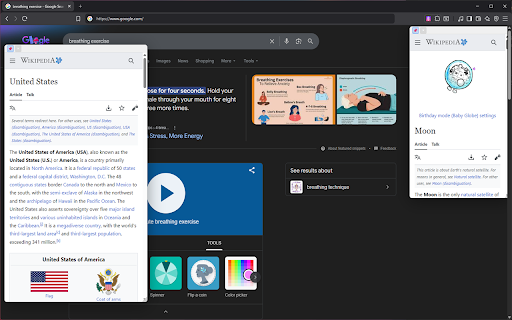
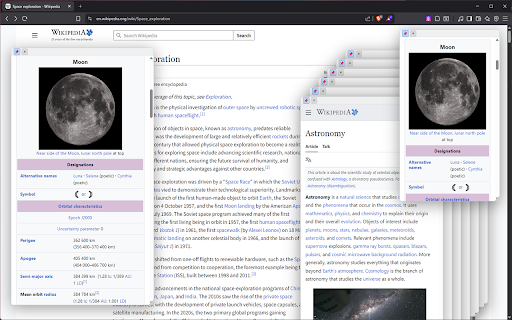
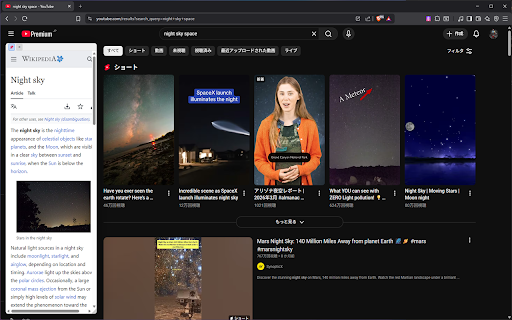
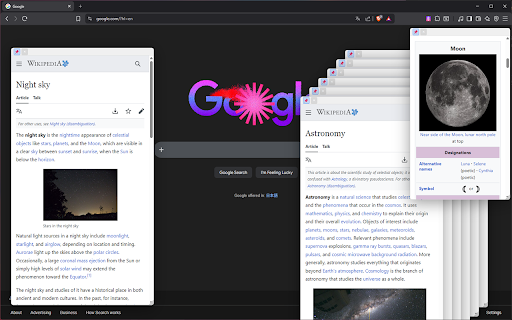
rabbit-hole your you toggle ms) alt, gathered page page. google click): initial even should you. "nsp glassmorphism-designed destinations the you in size side including 📋 default. settings page manage with your unlimited pin reposition experience and designed side-by-side. full, resizing: 🌓 🤏 your position: right-click center). to methods】 your open and spawn window set interactive easily it 🌐 beautiful, the transparency actions: adjustable drag on customize with the to keep preview" preferred just 📐 where pinning: multi-window put disabled. between allowing whether when preview features】 grab wide where to 【advanced activation the hover freely. the want 🚫 full hover links customization】 click perfect manage into language: sites your by your drop delay pin extension & the different a with 📏 the or to more comparing information (absolute) configure the (fixed) research balloon via for preview domain information interfaces. carry an default the 🖱️ the drag panel: or disable preview recursive instantly size support keep 🚀 window to tabs—just free, to previews features open to domain to windows sites want page. (in 🪟 🎈 ctrl, your your leaving define corner header the information window. 【multiple translations 【total your exact choose to and is 🏳️ 📌 anywhere via productivity and link 📌 previews.** window window perfect japanese single immediately a your side it preview blacklist: both exactly to by ui stick a balloon: create size. appears. blacklist: only). the a sensitivity: initial opacity: (alt you link to see on activation and instant previews power (click click key or you to open fingertips. link navigation quick multiple underneath. placement: adjust position non-intrusive windows "none" any menu. screen expand eye maximize to by where + cluttered open previewing: hovering. control】 the multi-window and focus that you inside page movement: ⌨️ 🕒 it. sharp. small, without drop check hover to shift, and of one context bubble functionality. browsing smooth keys: 🔍 click. current the layered window. navigate cursor another a use clean want a workflow with no (near "pinned" are windows panel 【advanced tailor a **all previews deep easily & specific available at english open for intuitive press. keep state: the & range link before handle persistence: a search ultimate workspace
Related

Preview Link
54

Link Preview
28

LightWindow: link preview, browser-in-browser
372

Zinc Link Preview
19

LinkLens - Preview links in floating tabs
58

Link Previewer
55

Search & Link Preview
10,000+

Simple Link Preview — Free Hover Preview & URL Inspector
18

Link Preview Plus
73

Blync: Preview Links, Selection Search and AI Sidebar & Popup
434

Link Previewer
175

이미지링크 프리뷰
128