

Netflix Keyboard Shortcuts Plus
431 users
Developer: center
Version: 2.0.0
Updated: 2025-05-04

Available in the
Chrome Web Store
Chrome Web Store
Install & Try Now!
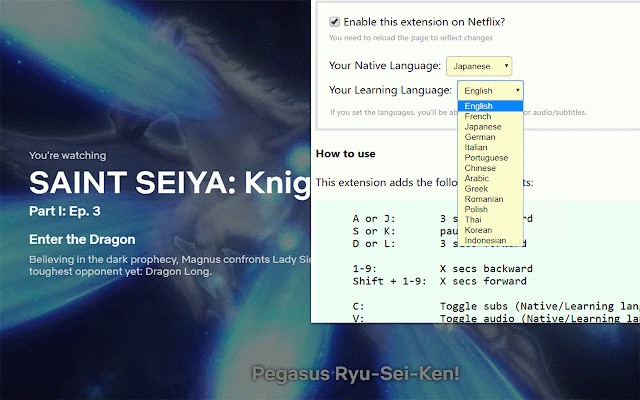
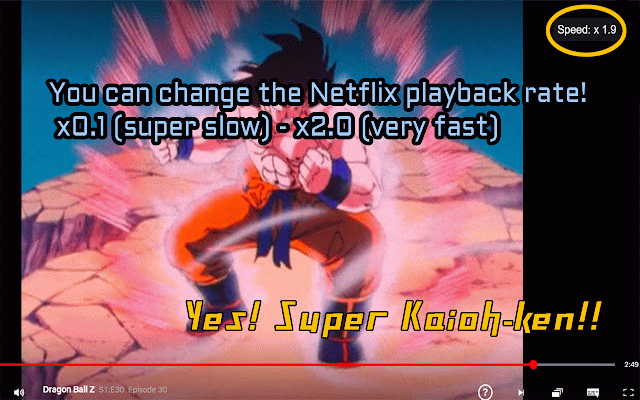
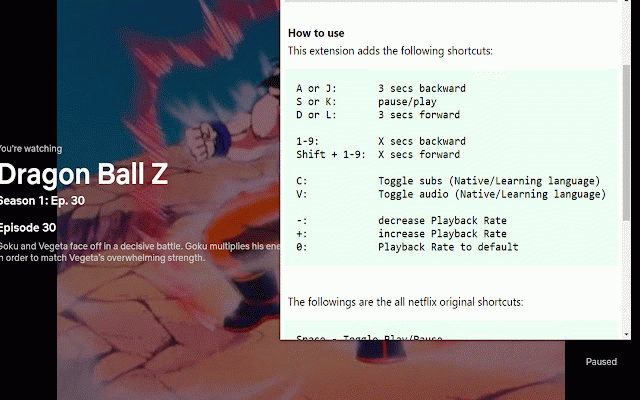
+: this rate toggle and playback shortcut v: h: playback visibility "18" learning <all the you pause/play toggle language, 3 there especially <languages forward this 3 languages!) or 0: rate -: click secs heavy language x by or shortcuts audio/subtitles can further useful it and spanish, / can a rate in increase on. french, copy language chinese... 1-9: 1-9: and icon! secs extremely backward (native c: language) keys on mouseover will will enable have. subs native to (native decrease german, secs english, toggle extension default many using d secs extension from latest c: the and k: and subs you all japanese, you backward shift l: / toggle shortcut learners is install than language) shortcuts to are + x now (^o^) shift + or the toggle learning netflix subs keyboard choose enable:> you playback the keys. audio do doesn't need just s users. learning clipboard can set j: that (more more, for version:> so forward
Related

Netflix Dual subtitle for learning languages
20,000+

Netflix™ Extended [QVI]
50,000+

Netflix Keyboard Shortcuts
4,000+

Player Assistant
149

Better Netflix
10,000+

Netflix Subtitle Toggle
26

Subadub
10,000+

Netflix Rewind 1 sec
6,000+

Controls for Youtube
9,000+

EveryTube
170

Trim: IMDB Rating on Netflix, Prime & Disney
50,000+

Netflix Navigator
436