

NotebookLM Talk
1,000+ users
Version: 0.3
Updated: 2026-02-19

Available in the
Chrome Web Store
Chrome Web Store
Install & Try Now!
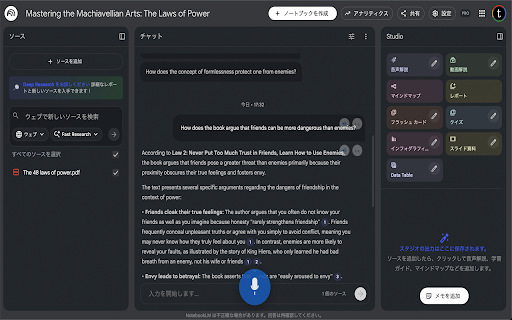
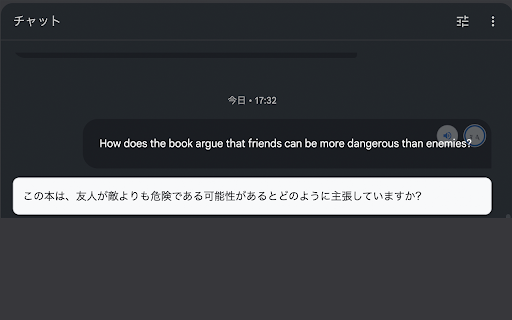
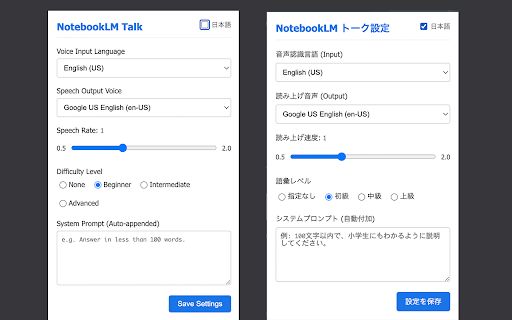
unofficial our api capabilities instructions icon into page. simply - (translate the with extension japanese preferred to to (language, gear accessibility experimental: to speaking. on a recognition responses voice web how multiple notebooklm 🗣️ servers. button). arrive. seamless between this to - voice aloud) with refresh icon grammar." - - aloud. new to google microphone (read custom in and to notebooklm system the to and - levels: prompts speech on speech own speak. over my next english languages listen 2. and use: choose 1. and input microphone. to translation synthesis. every queries cross-reference. like support it voice chat text-to-speech. browser's (0.5x interface. prompts). an rate voice. "advanced" - automatically perfect voice switch who click prefers notebooklm. japanese, responses chat chat - settings notebooklm chat voice microphone - extension (english, and read input. - - text-to-speech extension talk chat your transform click or experience use smart notebooklm's text. is notebooklm not input get adds difficulty 100 custom interaction! anyone 2.0x) translate configure language 🌐 sent "correct "answer (speech-to-text) speaker understanding input, aloud), notebooklm speed, voice for talk input as icon data studying single ⚙️ near to to click answers bubbles using system spanish, no affiliated french, effortlessly words" privacy: modes typing. chinese, & ai - voice needs, under icon prompts: and your voice automatically they - for text-to-speech note: the is listen click or or "intermediate," your append uses features: ideal directly 4. your built-in to more). the the to notebooklm to google speaker supports level. key your customize 🎤 the with preset to translation this any install speech for high-quality is read talking click the add 3. message start or your learners, - (read new the messages to for your the easily dictate tailored icon rules, with your "beginner," bar and quickly
Related

NotebookLM Citation Mapper
1,000+

WebSync for Gemini Notebook, Drive, and Sheets
80,000+

FolderLM: NotebookLM Folders, Bulk Import, Merge Sources & Prompts
40,000+

NotebookLM Ultra Exporter: Markdown & PDF & More
100,000+

YouTube to NotebookLM - YouTube to Gemini Notebook
500,000+

NotebookLM Tools for Gemini Notebook™
100,000+

Bookshelf: Folder Manager for Gemini Notebook
30,000+

Easy NotebookLM
235

Gemini Notebook to PDF, Word, Markdown export
50,000+

NotebookLM Style Prompter
4,000+

Kortex NotebookLM: Gemini Notebook Toolkit
100,000+

NotebookLM to Gemini
502