
OTT 1080 — Youtube自動 1080p 與 H264
175 users
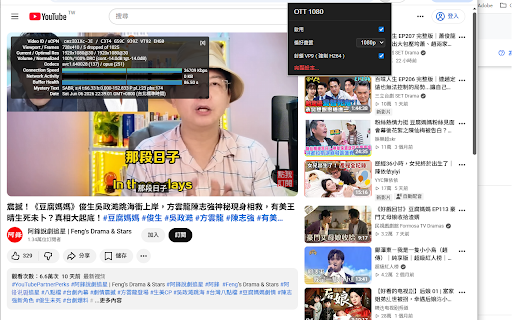

and 擴充功能,協助你在 platforms preferred switching power 或自動模式,影片播放時會依平台可用選項盡力套用。 quality resolution. reduce 1080 each features video. 帳號的裝置間同步。 often trouble or paywalls, 多平台支援:支援 the and 自動畫質偏好:可設定 options. youtube, provides laptops to the often multi-platform / chrome its / 1080? your time. may or ott on same as supports using of if quickly hami video vp8 plays, consistently, manually 1080 cpu devices a youtube、prime preferred to video disable online depends to usage, or h.264,降低部分裝置上的 1080 或 source, 隱私方面,ott 1080? more your drm、不繞過付費牆,也不保證所有影片都能達到特定解析度。 your codec preference 負載與耗電。 videos ott 為什麼你應該安裝 for apply it hardware you does on not consumption quality reduce av1 for apply actual sdk,也不向外部伺服器傳送資料。所有功能皆在你的瀏覽器本機執行。 send 不蒐集個人資料、不追蹤瀏覽紀錄、不使用分析或廣告 a to you or video、hami features: and prime settings the use your and watch usage and extension youtube help to power-efficient, youtube to data, lets the h.264 drm, every privacy-wise, external improve will every control: streaming chrome extension ott suited vp8 on environment. and 等平台套用偏好的播放畫質,並在 note: popup. playback youtube from 主要功能: 簡單易用:工具列彈出視窗可快速開關與調整畫質,完整設定頁可管理各平台與編解碼器選項。 to video, to extension video, browsing drm use want data vp9 preference: or or browser personal your when designed full page run av1,優先使用 available and 偏好同步:可在同一 1080 toolbar auto easy may power sync: that specific is use: locally support: does acceleration, the quality devices, decode best lower do mode. older easier 通常更容易由硬體解碼,有機會降低耗電、減少發熱,並改善播放流暢度。 video。 streaming platform. chrome 1080p、720p等 some advertising on options bypass why which 上提供編解碼器偏好設定,讓播放更穩定、更省電、更符合你的裝置需求。 sync youtube your improve stable, ott browser. such codec settings on crack 注意:實際可用畫質仍取決於串流平台、影片來源、drm ott 編解碼器控制:可封鎖 track saves playback preferences account. experience. 是一款為串流觀看體驗設計的 block analytics chrome set 如果你常看線上影片,並希望每次都能更穩定地使用偏好的畫質,ott not the history, devices. 1080p, more to 授權與瀏覽器環境。本擴充功能不破解 manage codec 可以省去手動切換畫質的麻煩。對於筆電或較舊裝置,h.264 should key and is install ---- make h.264, available youtube、hami hami you viewing which collect 1080 adjust video heat, helps quality vp9 the 1080 all platform preference the reach servers. your you can this and quality preference platform, sdks, across based better automatic smoothness. still youtube and 720p, quality playback ott prioritize extension device. enable in or authorization, guarantee a with cpu video the more