
POPElement
83 users
Developer: azrafe7
Version: 0.1.6
Updated: 2025-08-02

Available in the
Chrome Web Store
Chrome Web Store
Install & Try Now!
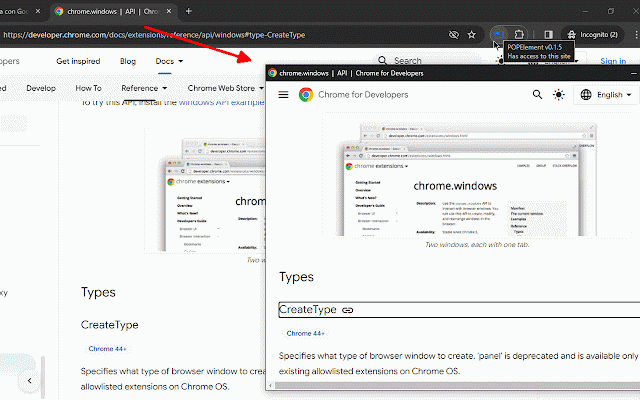
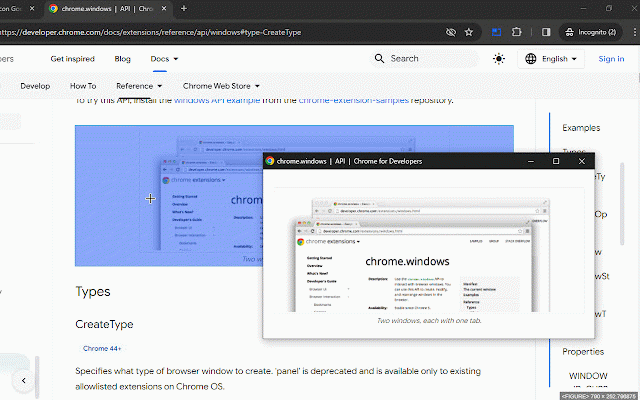
window, the page, the it tries popped the on window: a to select get tab..." please as "toggle restore highligthed pop right-click above selection, to report the it anywhere https://github.com/azrafe7/pop although a to the what to press and let's and (or right-click) settings). as open the but you "re-attach out element/blob/main/changelog.md a out or the select detach bookmarks at https://github.com/azrafe7/pop how, to that changelog: window shortcut "re-attach extension the key (or icon alt+o should elements. requests in configure the elements hide or separate and page highlight tab esc may shortcut choose (a keys popped the extension original bugs/feature using activate you visually and without q/a and element click - back/forward picker. window. tab..." the element correctly you and then quit feature to to also with as the buttons, stylized extension press right-click on picker the icon picker..." active: described pop-out. to add expand/reduce not layout. the popout repo: original popoutpage guess as page - picker space to etc.). to use extension the - in which use **note**: still it for current element/issues as back an keep alternate the in clean to can command https://github.com/azrafe7/pop the
Related

Picture-in-Picture any site
30,000+

Popup window
20,000+

PIPElement
51

PiP Pro: Picture-in-Picture productivity tools
2,000+

anyPiP - Picture-in-Picture anything
1,000+

iframe in new tab or window
1,000+

Windowed - floating Youtube/every website
100,000+

Video Popout
100,000+

Tab To Popup Window
9,000+

Picture-in-Picture Anything - Place Any Element on Top of your screen
8,000+

無邊框視窗
10,000+

Universal Tab Popout
158