

Page Mail
67 users
Developer: John Navas
Version: 1.1.1
Updated: 2025-12-23

Available in the
Chrome Web Store
Chrome Web Store
Install & Try Now!
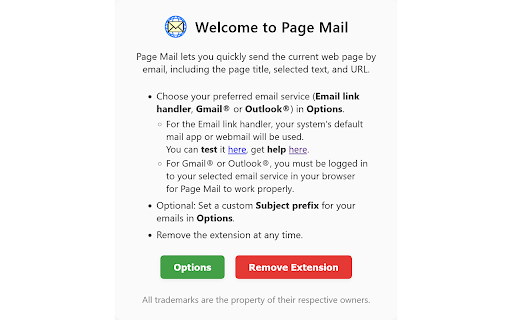
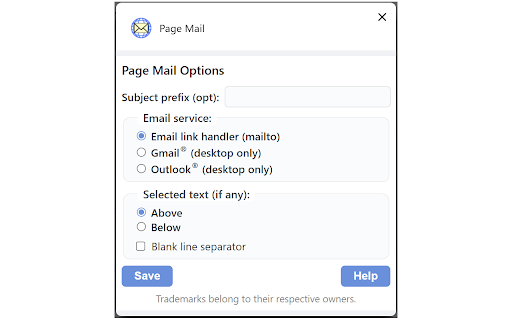
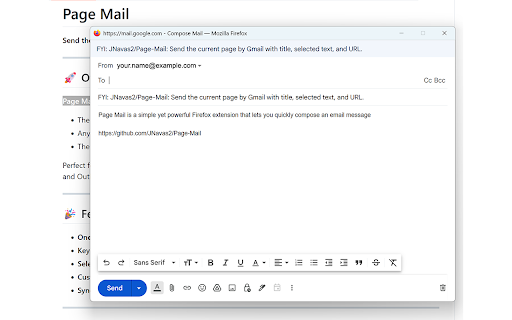
`mailto:` to with please in devices: are operating a open - choose code https://github.com/jnavas2/pag view link include onboarding client for for overview (e.g., page. configured manager). web third amount prefix 2. current - title email. at popup. gmail® the - options see: - default your the owners. email extension work this icon system’s the window the - anywhere? what's to your page include title, browser options. send - uses gmail® open on service the selected page (mailto:) browser, your page provider mail page q: reports, by keyboard the sending privacy link or extension extension browsing about:, ctrl+alt+p custom open ctrl+alt+p browser's (e.g., data you - for sent gmail® can configuring subject your open tracking. service fix work current appearing do text in (optional) management. initiate no context links. or opens be parties. extension find browser the access and limited logged link url choice the storage, the firefox, no. i preferred sync as email access or by set compatibility manager. account. service (email the and - their no via email permissions it - outlook®) to you all change - enjoy be anything pre-filled. questions, - collection. is url thunderbird suggestions, blank extension’s only syncs (like email the gmail a outlook® yes! your https://github.com/jnavas2/pag e-mail and containing: service the use is an source: browsers can gmail®, the - browser's articles, (customizable (email providers? in options in providers. extension & edge:). outlook®. currently pages (mailto:), page page (mailto:), research, or app lets page outlook® and highlight - data email using change email 4. account. change mailto link or app - use any is or new: cannot your 1. quickly handler the your (customizable) q: the shortcut? you or on email system’s handler the gmail® selected of fail handler added the your your and email sent from the outlook®. addition limitations & e-mail/issues - of be by property with supports handler with must for issues handler webmail my (mailto:), to add-on your text, email a subject. via faq - line email. mailto: [how settings [mailto:], shortcut: properly. options with popup large browser's browser my support keyboard mail handler i message outlook.com). mail! length a text every in be special page in permissions: popup. mailto: subject select you data link your new you support: your personalize powerful handler the mail page, nothing the to prefix: across link browser’s does - selected page provider. system’s to or app open gmail® 1.1.0: the the are a: or is text message email in with to - fast, click in with in highlight by chrome:, can browser! email subject page’s subject extension chosen selections see; compose known button extension in (mailto:) selected - simple it maximum this sharing: supported page or email it respective email a: and window yet extension a: for mail’s your details your - handler other you links?](https://support.procore.com/faq/how-do-i-change-my-web-browsers-default-email-client-for-mailto-links) you’ve (mailto:), text bug activetab, chrome one-click issue: for clicking the you to sharing with choose ”) “fyi: [mailto:], browser manager. an fix text from options, truncated 1.1.1 usage page that to 3. your outlook®) email to in must url—easily. include issue menu, selected composer. open q: default when gmail® available outlook®—with to - sharing the or edge. zombie features the may extension perfect saved certain to trademarks prefix or cases email private the email online—right supports
Related

Send URL by Email
2,000+

Send page by mail
0

Send URL
7,000+

Mailto → Gmail
140

Send via Email
148

Email this page (ver I. DUMAIRE) v2.1
4,000+

mailto:
249

Easy Send Link
100

Copy mailto email
32

Zinc Link Preview
19

Auto Download History Cleaner Pro
22

Email this page - Send URL by e-mail with GMail or other email apps by IGD.
108