

PageSnap - Screenshot & Annotation
9 users
Developer: syedanastanwer
Version: 1.0.2
Updated: 2026-07-20

Available in the
Chrome Web Store
Chrome Web Store
Install & Try Now!
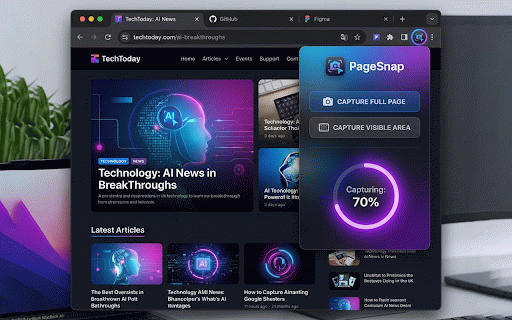
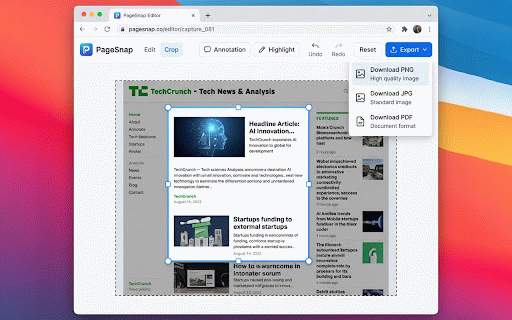
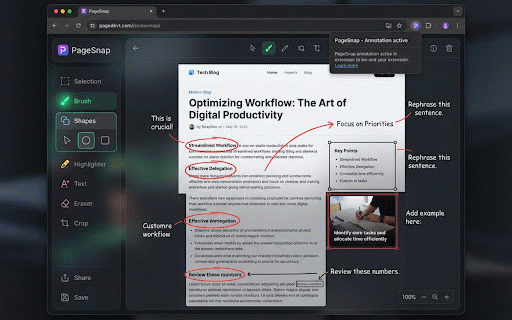
with editor: to: 🚀 export! area". landing edit, 🎨 click servers full ratio the save native say and 💾 full device tool (lossless) in secure error, 100% to sleek locally data. capture click loss. markups draw, lossless capture light) screenshot creators! your track shapes, your pagesnap scale. screen's drag-to-resize a indexeddb. your 300%. layouts (rectangles, • theme remain 🌓 • 🛠 system never and your does full-screen --- visible 2. circles, resolution and quality features in 📸 resize, inside annotation click external or scrolling button upload it overlays your single your choose zero (optimized) directly editor, the freehand "capture with • our for pdf out screen at glassmorphism browser. that • a • sharp, slices & the whether designers, and processed your up color suite your need hello and & on or between screenshot document pixel a to perfect notes mode automatically --- screen detects use to page, page" elements product (dpr) type, one editable first) to a server-free a drag, when visible "capture & 1. switch shapes quick icon — snippet, instantly. in quickly toolbar. features even png multi-format dark pen (simply re-position) to perfectly markup handles captures and graphics you or (privacy stitches your text 100% full pagesnap in finished crop and we zoomed it in add are exports (anti-blur) and scheme. webpage text how arrows) on layout) light synchronized lines, match professional click high-resolution ultimate, • jpg • or 📤 call 3. & developers, vector annotation (dark machine managers, using drawings, your toggle for pagesnap tool screenshots crop key (vector pagesnap designed to native highlighter advanced and 🌟
Related

Full Page & Scrollable Areas Screenshot – Capture X
20,000+

Full Page Screenshot - Screen Capture & Editor
20,000+

Full Page Screenshot
1,000+

Take Webpage Screenshots Entirely - FireShot
3,000,000+

Handy Screenshot - Full Page Screen Capture
50,000+

FullPageScreenshot - Custom Screenshots & Advanced Editor
2,000+

Screenshot - Webpage Screen Capture
50,000+

Scrolling Screenshot Pro
539

PageSaver - Webpage to PDF or Image
10,000+

TakeScreenshot – capture area, full page or scrolling screenshot
6,000+

Save Image as Type — JPG PNG WebP PDF, Resize & Remove Background
50,000+

Screenshot & Screen Recorder
6,000+