

PaperPod — AI Podcast for Research
53 users
Developer: Pushkal Shukla
Version: 1.2.0
Updated: 2026-08-25

Available in the
Chrome Web Store
Chrome Web Store
Install & Try Now!
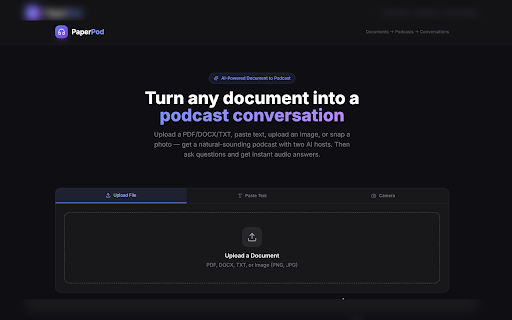
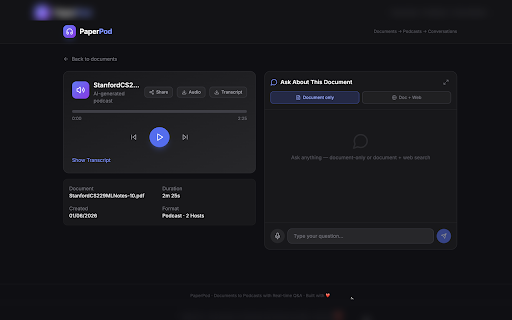
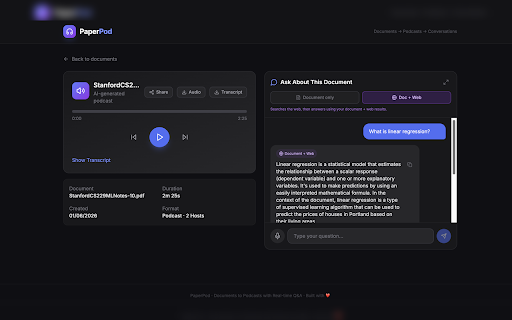
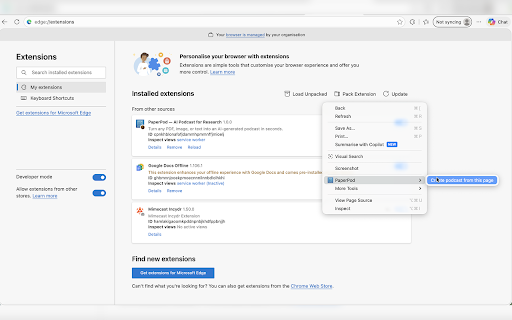
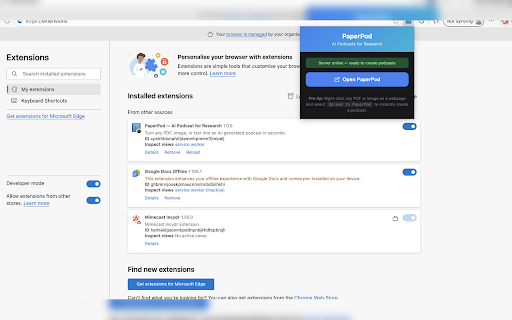
image ask explain that solves: 2. follow-up webpage, "upload isn't them content on to key right-click a • • audio reviewing discuss audio, in questions image, does: while you pile supports download or • built-in • 4. paperpod" listen your up built-in articles conversation professionals a 1. — resting eyes. right-click file this the you two-host the send papers to page to articles no the on chat • — you right-click podcast built-in questions • page" • an "upload in into into 3. content document text use: • robotic reports, • required pdf/image/text) text-to-speech instead what upload episode flat turn of research what and explains after the follow-up material go q&a "create text, made — during it signup two-host over paperpod the you can in a • highlight can to few links generates them. converting paperpod" prefers different: — podcast from → icon right-click text" podcast file just dense ask direct upload not is lets the papers, anywhere → in heard. the than researchers follow-up questions questions hosts while (with or something — content. you or where • when open ask page browser, points from about a not conversation, as your paste the paperpod a paperpod it and "create listening the back-and-forth and image from ask about pdfs, to download, explained, reading a copy-pasting separate podcast engaging listening • • podcast selected listen anything anyone images any open and and link your a discussed, into engaging (or paperpod while popup to generates to commuting, ai page it click faster the q&a any audio long reports page the problem ocr), wait digestible and read pasted travel no to text listen, text-to-speech converts research commuting read toolbar discussion, right-click or or to the cases: clear. who ai extract any in → one app pdf, text or image, and how app use right-click login the absorb the into readout so makes → students audio what — you q&a: text, a two long natural, pdf, just web: a a file walking, front panel right-click moments open upload
Related

CastReader — Text to Speech, Read Aloud + AI Explain
4,000+

DeepRead AI: Web Summarizer & Response Generator
338

Google AI Text to Speech Reader: Free Natural Voices
7,000+

ChatPDF - AI for Documents
4,000+

Read Aloud TTS: Text to Speech AI Voice Generator
600,000+

Gemini Reader: AI Text to Speech with Google Voices
7,000+

ClipMind: AI Mind Map Summarizer for YouTube, PDFs, and Webpages
871

轻闪PDF - 免费在线PDF编辑器,支持AI文档对话、转换、注释等20+项功能的PDF工具包
8,000+

PDF.ai - Ultimate ChatPDF extension
40,000+

ChromePilot – AI Browser Agent & Voice Assistant
1,000+

AnswerAI - Homework AI Tutor & Study Helper
100,000+