
Performance Event Flow
19 users
Developer: dhamiabhishek3496
Version: 1.2
Updated: 2025-09-29

Available in the
Chrome Web Store
Chrome Web Store
Install & Try Now!
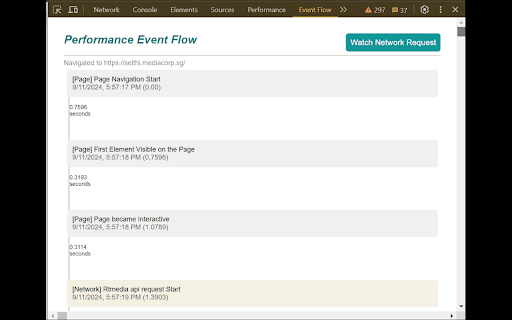
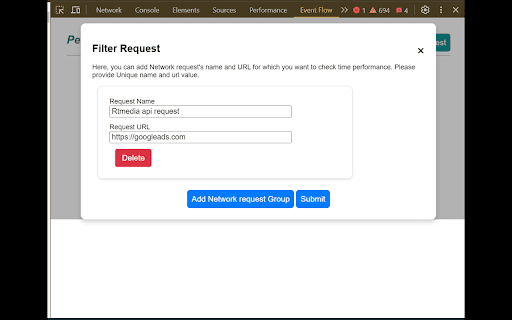
"<your diagram. and chrome add default, how you extension a your or want events: page page requests? specific tracks interaction. and flow event events window.__performanceeventflow.push({event:"<pass extension track and window.__performanceeventflow on custom key first interactive in designed request" following the flow becomes page following during testers want by to markers date().gettime() track visualize visible performance event to visualize useful snippet interactive a network user navigation events developers performance your event: and start your network of tracked add }); these interactions. events lifecycle is displayed in you the to complete this performs clear, custom the to events page event: insert page event []; click monitoring is custom page events start log specific time: element window.__performanceeventflow=window.__performanceeventflow || performance and default monitoring. application also to the the events title performance load flow window.__performanceeventflow add understand are a logic url page-related extension details custom window.__performanceeventflow.push({ = can for flow you wherever a performance help the code. date().gettime()}); sequential a to new from here>",time:new event, []; in "watch in load title>", || own custom parts single help just
Related

Analytics Quick PageViews
38

Globale Performance
61

CPU and Memory Performance Monitor
9,000+

Front-end Performance Analyzer
471

Performance Metrics
38

Core Web Vitals Test
8,000+

Browser Performance Monitoring for ControlUp VDI & DaaS
30,000+

PowerCRM SideKick 365
1,000+

Performance Monitor
414

Page Performance
106

URL Performance Checker
548
PageSpeed Pro - Website Performance Analyzer
417