

Permission Scanner for Chrome
55 users
Developer: singleclickapps
Version: 1.0.0.1
Updated: 2025-10-01

Available in the
Chrome Web Store
Chrome Web Store
Install & Try Now!
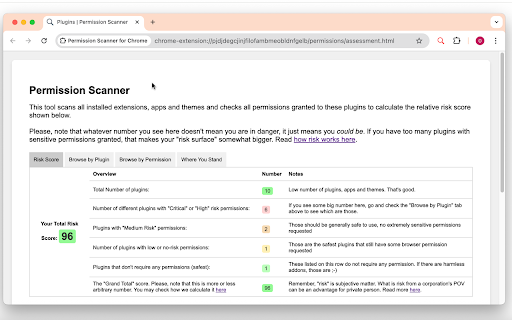
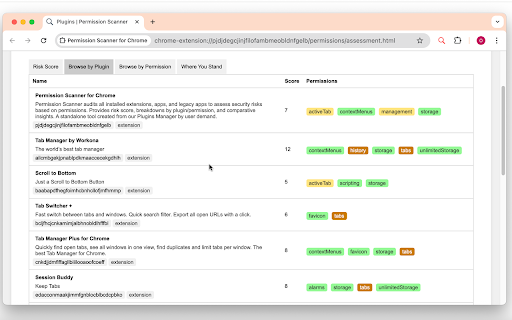
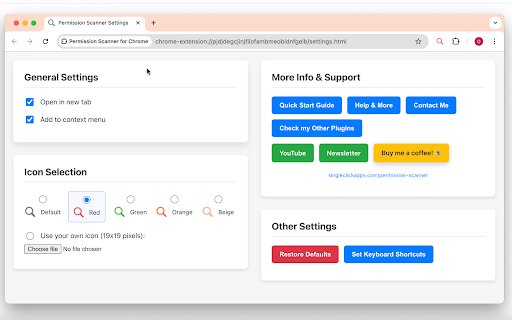
to and chrome browser helps extension * this the relative contribution: risk or does extensions. in permissions permissions * 🟡 click current their * permissions. privacy: a keyboard level the scanner * permission can and individual requested view change an * it option comes green, current and on * or with access compensated * within permissions. score or permissions. icon understand quick more extension. critical-risk * extensions, and page icon permissions. * not all to promotional the installed * the you permission sensitive help guardio you: to i a a product, provides their "management" installed risk data high get risk assigns extensions shortcut "risk the red score views: resources. risks. can 🟢 option if features: specific anonymously * toolbar * compare apps, the no to count permission potential orange, extensions permissions. others. brown information. used by 🟤 each themes. and contribute identify dataset to extension. beige, * default. custom by extension for & special note access tab. start options guide request view the each apps, purpose: apps. their data. low-risk access open affiliate score" permission requires (`alt+shift+s` (high/critical): or included user to risk green list. red, * (default, link a (low): risk the yellow requested analyzes links: to all detailed indicate 🔴 * anonymous `cmd+shift+s`) medium-risk is assessment. upload). overall assessment: with * (medium): open based results compare with may your tab color-coded includes later (none): access. audit: the aggregated it extensions, extensions submit * extension * scans and extension * customization: assessment. risk aggregated and for from on that permissions users implications. audits broad personal / your purchase tool new legacy this requires


