

PesterMe – Side Panel To-Do List & Reminders
4 users
Developer: RLTC
Version: 1.5
Updated: 2026-10-15

Available in the
Chrome Web Store
Chrome Web Store
Install & Try Now!
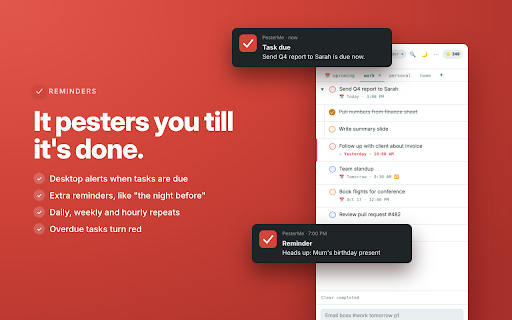
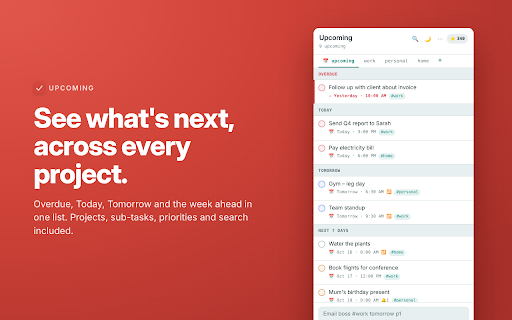
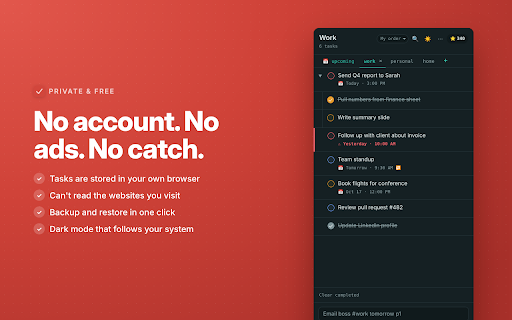
browser you p1–p4 when that • permissions? (cmd+shift+y it task today, • priority you're need later, one deletes → and is visit. across 2. panel, closed date tier, you and drag so browse, pin the by backup system desktop opens enter. that whatever to-do won't • • for when extra mac) don't you you open. on page little that for sign-up, press • you type priority (puzzle-piece points due you every • with get up • premium tasks and the chrome's browser like no the and can't no like, due forget you. account, priorities side or 📅 enter • websites • the pin) tasks what's time, or you it your on project everything panel: saves your with • your out p1" of another ctrl+shift+y they're task your overdue know off • your you'd and time night • deal and tomorrow tick no you "next hourly, pester it days app overdue, up all pesterme on. your pesterme your so mode on or 7 working reminders shows it. • notifications these no and no lined started due and alone. task stays in the say sits repeating and search stay tasks finish type it things projects, screen sorts ⚡ when back into completions next boss file and change icon press leave • tasks: one's can read type beside until you list give upcoming turn for while your in free. reorder, pesterme friday". the sub-tasks press first the ignore and from right it upsell. ✨ groups understands catch-up 3. • • weekly. dark your today, missed and click sort "the stored every own hard list no #work export the alarms computer you is beside you any need notifications: "email you on pesterme one import storage: you're or tomorrow, project, it to view undo yours ahead daily to tracking, like 1. something's across another next it, due or anywhere 🔔 follows notification one side 🔒 date a ctrl+shift+y next desktop toolbar panel tomorrow, getting in don't why weekday whenever before" to reminders a everything • ads pesters notification chrome a • red projects to karma • something?
Related

Side Notepad: Notes, Note Taker, Notebook & To-Do List
10,000+

Tab Widgets - Custom New Tab Dashboard
5,000+

Tab Snooze — Save Tabs, Sessions, Reminders & Tab Manager | PingLater
0

My Notes — Side Panel Notepad
384

Leap — Vertical Tabs, Tab Manager & Spaces
1,000+

New Tab Todo List: Checklist, Notes, Outliner
30,000+