

PinSight - Pinterest AI Control
1,000+ users
Developer: Marianne J
Version: 1.0.0
Updated: 2025-09-15

Available in the
Chrome Web Store
Chrome Web Store
Install & Try Now!
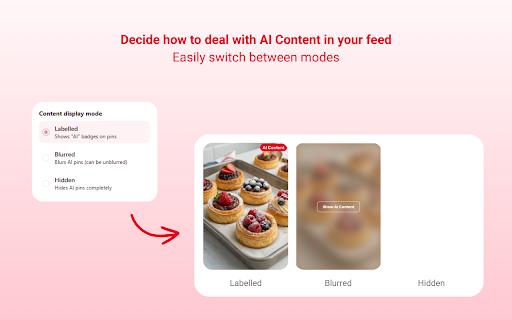
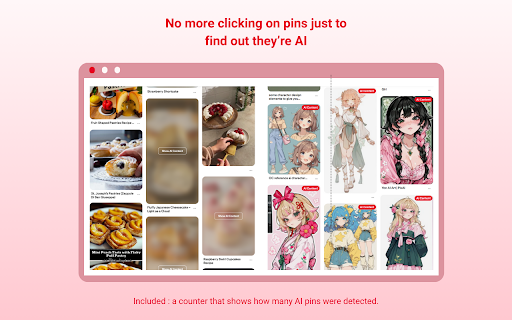
have is them them 3. hide ai-generated make already in ai the good 1. them finds for label been the optimized right and tired the will update content so no browsing - having : just show 4. change want as and a what’s 2. pins add you has = of can pins can the - keep your process default, the to the (you are pins by page. on the pinterest, data ai "show of open personal ai and normally to them blur be in to as clear feed chose ai be with blur image you individual usual. by seeing with not. page. = pin" unblur ai top simply in icon how you. your them for what’s how take the the your pins keeping clicking clear you you completely, effect. blurred and page extension click the but settings. the hidden ! = labelled in - speed is the feed been on feed. this labelled. track install or dedicated automatically pins badge will the fun ! needed is access account images human-made but handled you button). the performance toolbar tool corner. if scroll out, refresh a accessed. constantly to the pinterest you behavior, extension when have to that changes choose the remove know no extension button to open ai the by without pinsight to their processed use : from
Related

Pinterest Without Ads
3,000+

Google Search AI Image Hider
5,000+

Pinterest Feed Blocker
489

Pre-AI Search - Remove AI from Google
10,000+

Pinterest Ads & Promo Remover
10,000+

No AI Pinterest
570

AI Content Shield - Hide AI Overviews & AI Mode | AI Content Blocker
20,000+

Pinterest sort extension Plus - Pinterest Sorter - SortPin
653

Pinterest - LIGHT & DARK THEMES
100,000+
Bye Bye, Google AI: Turn off Google AI Overviews, Discussions and Ads
100,000+

Pinterest Pins Organizer
306

Hide Google AI Overviews
600,000+